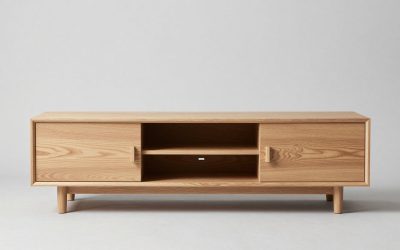
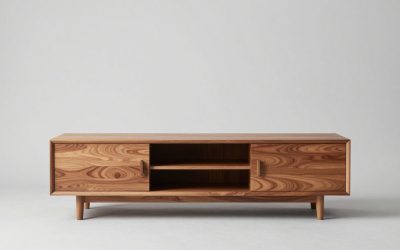
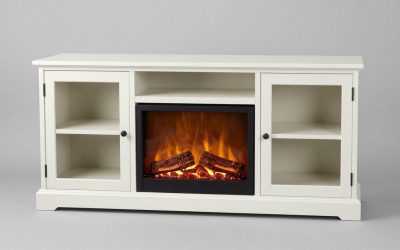
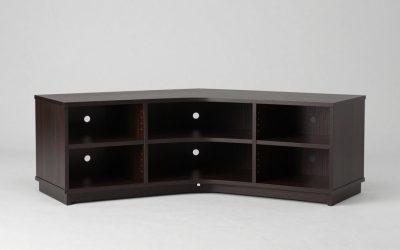
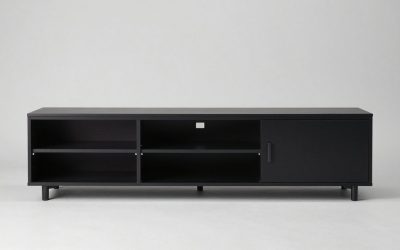
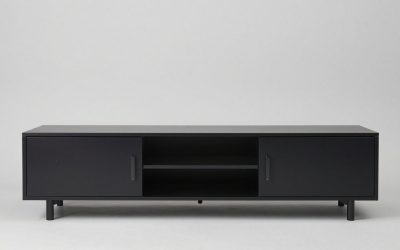
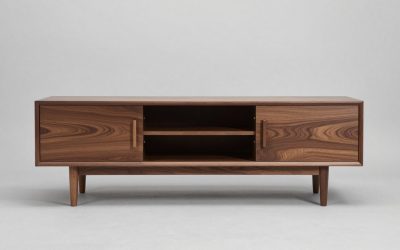
A center-pedestal TV is often easier to fit on a narrow media console, while two widely spaced feet can demand a much broader top. Neither design is automatically safer or better. For tv center stand vs spaced feet, compare the exact television’s published stand width and depth, the furniture’s approved TV load, and whether the arrangement leaves room for speakers and secure anchoring.
As an Amazon Associate we earn from qualifying purchases.
By KK Home Furnishings Editorial Team
Center TV Pedestal vs Two Feet: What Actually Changes?
A center pedestal puts the TV’s tabletop support near the middle, whereas spaced feet put supports toward the screen’s left and right. That changes how the screen fits onto furniture, but it does not establish a universal difference in strength. Sony lists a 13.63-inch stand width for its 2026 K-65XR70M2 and 49.44 inches between the outer edges of the original feet on the 2026 K-65XR30M2 [Sony USA, specifications, accessed October 2026].
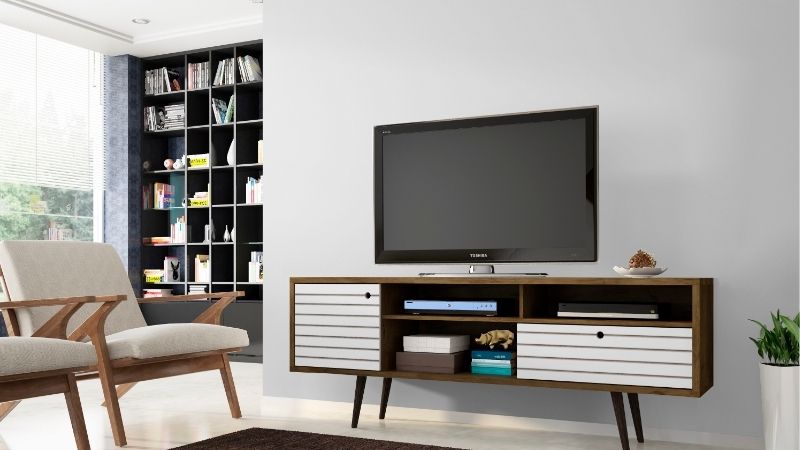
Measure Support Width and Depth, Not the TV Diagonal
The published diagonal is not the space the supports occupy. The 65-inch Sony K-65XR70M2 uses a center assembly measuring 13.63 inches across and 13.5 inches front to back [Sony USA, K-65XR70M2, 2026]. The 65-inch K-65XR30M2 instead lists an outside foot spread of 49.44 inches and a foot depth of 11.44 inches [Sony USA, K-65XR30M2, 2026]. These are examples of two different television models, not tests of the two stand types.
Use the outer footprint of every contact point, including any front or rear extension of the foot. A pedestal can be quite deep despite its small width; dual feet can be slender individually but require a long uninterrupted support surface. Cabinet listings also distinguish overall width from usable flat top, so check molding, raised edges, door trim, and any overhanging shelf before concluding that the TV will fit.
Check Furniture Load Approval and TV Security Separately
A TV may stand squarely within a cabinet’s top yet still be unsuitable for that furniture. The screen-plus-stand weight must be within the cabinet maker’s TV-specific load rating, and the top must be level and intended to support a television. Sony lists 67.7 pounds with stand for the K-65XR70M2, and 46.8 pounds for the K-65XR30M2 [Sony USA, 2026]. Those different weights cannot prove either leg style is inherently stronger.
The Consumer Product Safety Commission advises placing televisions on furniture designed for that purpose and anchoring televisions and furniture to prevent tip-overs [CPSC, Anchor It! campaign, 2025]. A broad-looking base is not a substitute for a correctly installed anti-tip system. Check the television’s own securing directions and keep the furniture manufacturer’s requirements separate from the TV stand installation instructions.
Consider Screen Height, Soundbars, and Installation Options
The type of feet can affect where a soundbar goes and how much space is available directly beneath the screen. Some TVs use multiple approved foot positions or a raised soundbar position, while others have only a single supplied arrangement. The actual clearance depends on the model’s drawings and whether the feet and screen sit low to the cabinet; it cannot be inferred from the words center stand or spaced feet alone.
If you plan to change stands after purchase, read the exact installation manual rather than assuming a generic pedestal fits every television. LG’s U.S. support guidance warns that stand assembly varies by model and that loose screws or incorrect installation can allow the set to tip [LG USA, TV stand installation, November 2025]. An approved wall mount may be a better alternative where furniture dimensions conflict with factory feet.
| Decision factor | Center pedestal | Spaced feet | Check before buying |
|---|---|---|---|
| Cabinet top width | Often less horizontal stand space | Needs room for both feet | Exact outside stand width for the model |
| Front-to-back footprint | Can have a deep base | Depends on foot depth and angle | Full stand depth and clear cabinet top |
| Screen support | Usually one central assembly | Two side positions on approved model | Original hardware and seating points |
| Soundbar space | Base may occupy center-front area | Open middle may leave a speaker spot | TV height, bar height, sensor locations |
| Appearance | Central visual anchor beneath screen | Two supports visible near corners | Preferred room design and top styling |
| Stability | Not inherently more or less safe | Not inherently more or less safe | TV/furniture approval and anti-tip setup |
| Upgrading TV | Fit may be simpler on narrow furniture | New foot span can rule out old cabinet | New model specs, not prior TV size |
Adjust for Your Situation
There is no winning stand shape for every living room. A narrow apartment cabinet, wide console, soundbar, children’s play area, or planned television upgrade can change the decision. Apply the same verified dimensions and manufacturer instructions to each of these situations rather than adopting an unsupported claim that one support design is universally more stable.
1. You Have a Narrow Media Console
A centrally supported TV is usually the first arrangement worth checking when a cabinet is shorter than the spread of a typical pair of outer feet. The distinction is straightforward: the media unit needs enough unobstructed top surface for the actual base, not just space beneath the picture. The 2026 Sony K-65XR70M2 example illustrates a relatively compact 13.63-inch support width, even though its full screen spans 57 inches [Sony USA, 2026].
However, a narrow pedestal does not make every compact cabinet acceptable. Confirm the entire footprint, the TV-with-stand weight, the furniture maker’s TV rating, and the approved anchoring plan before putting a larger screen on a smaller console. If those checks fail, select a verified TV-rated media unit or a compatible wall mount rather than allowing any part of a foot or base to project off the top.
2. You Already Own a Wide, Low TV Bench
A broad, low entertainment unit can accommodate many factory two-foot layouts without consuming valuable room in the middle of the top. This configuration can leave a convenient open area for a soundbar, although speaker placement must still comply with the device’s instructions. If your existing bench has plenty of usable width, switching to a pedestal solely to save inches may provide no practical benefit.
Compare the old cabinet’s clear top to the new television’s specified outer foot distance and depth. Remember that legs may angle out, and the narrowest distance between them may differ from the published outside width. Check the cabinet’s maker-stated weight capacity and TV support approval, not a guess based on how heavy the cabinet feels. The bench should be low and anchored as its instructions require.
3. A Soundbar Must Fit Directly Under the Screen
Spaced feet can leave a clear central strip between the legs, which may be helpful for a soundbar or a low audio speaker. That advantage disappears when the screen sits too low, the feet angle across the speaker’s footprint, or the cabinet is too shallow. A center pedestal, meanwhile, may occupy the same surface on which the soundbar would sit. Neither setup is automatically compatible with a particular speaker.
Check the soundbar’s real width, depth, height, and required sensor or acoustic clearance along with the TV’s height in its permitted stand position. Some manufacturers offer foot heights or positions that make additional room, but the option must be documented for that exact set. If the planned bar does not fit, consider an approved soundbar mount or another furniture arrangement instead of balancing the speaker against the pedestal.
4. You Prefer a Clean, Minimalist Living Room
A center support can create a tidy visual line between the screen and media cabinet, particularly when there is open storage on either side. Spaced feet can give the display a lighter appearance from a distance because the middle is open, but their outer contact points may be more visible on a very narrow or glass-topped unit. These are matters of aesthetics rather than measured durability.
Judge the setup from the main seating position and side doorway, not only a product photo taken head-on. If a center pedestal obscures a cabinet handle or conflicts with a raised decorative rim, the cleaner-looking support may be less functional. A console with a plain, level top can work for either design provided the exact footprint, approved load and anchoring requirements are satisfied.
5. Children or Pets Move Around the TV Area
Choose the arrangement that allows approved anchoring and a clear route around the furniture, not the one that merely appears to have a wider base. The CPSC’s U.S. safety guidance emphasizes anchoring TVs and furniture and keeping attractive objects away from places children might climb [CPSC, Anchor It!, 2025]. Those precautions apply whether the television has one support assembly or two widely separated legs.
Avoid placing toys, remotes, or treats on high shelves where a child might climb to reach them, and secure power and signal cords so they cannot be tugged. The cabinet should be intended to hold the TV and its top should be free of unsupported overhang. If your layout cannot be secured according to the makers’ instructions, an appropriately installed wall-mounted display may offer a safer path than changing the style of tabletop feet.
6. You Are Replacing a TV But Keeping the Cabinet
A new television with the same diagonal label as the old one may have a very different tabletop footprint. For example, Sony’s 2026 K-65A60C lists a standard stand width of 31.75 inches, while the 2026 K-65XR30M2 lists 49.44 inches outside the feet, even though both are marketed as 65-inch screens [Sony USA, model specifications, 2026]. The stand configuration is a separate purchase criterion from picture size.
Write down the old media cabinet’s uninterrupted width and depth, then compare those measurements against the new model’s official drawings before you buy. Inspect the TV’s total with-stand weight as well as any recommended tip-over hardware. If the original console is too short for wide feet, look for a TV with a manufacturer-approved narrow-position stand or a compatible mounting alternative rather than forcing the feet inward.
7. You Are Considering an Aftermarket Center Stand
A replacement pedestal may look like a convenient way to convert a wide-foot TV for a smaller cabinet, but compatibility is not established by a shared screen size. Many third-party stands attach through the display’s VESA mounting holes; others use manufacturer-specific points. The TV’s stated weight, hole pattern, bracket hardware and any blocked vents or cable ports must all match the stand maker’s documented limits.
Do not combine the original television legs with an improvised central platform, reuse screws of unknown length, or assume a generic stand has the same safety approvals as the factory base. LG states that TV stand procedures vary by model and recommends consulting the relevant instructions [LG USA, November 2025]. If the needed product documentation is unclear, use the original base on suitable furniture or seek professional installation of an approved alternative.
Frequently Asked Questions
The questions below cover details that are easy to miss when comparing TV stands, especially manufacturer-approved alternatives and changes made after a television is installed. They add considerations beyond the initial cabinet-fit decision so you can avoid buying extra hardware or moving furniture without checking the instructions.
Can I Move the Two Original TV Feet Closer Together?
Only when the television manufacturer explicitly provides a narrower approved position for that particular model. Foot spacing is not a user-adjustable feature on every TV, and different mounting points may require a specific arrangement of the original supplied pieces. Forcing feet into the wrong holes or drilling new attachments can damage the TV and defeat the intended support design.
Look up the exact model number, including its region and suffix, in the maker’s stand assembly document. A few sets advertise narrow and wide configurations, but there is no universal setting for all two-foot televisions. If the manufacturer lists only one foot layout, measure the cabinet for that layout and consider a properly approved alternative if the space is inadequate.
Will a Center Pedestal Let My TV Swivel?
Not necessarily. A support that looks like one central column is not automatically a swivel mechanism. Many factory pedestals are fixed, while some other models use a manufacturer-described rotation function; the appearance of the base alone cannot tell you which is present. Turning a fixed TV by applying force to the screen can strain its mount or cause the entire unit to move.
Search for a published swivel-angle specification and the maker’s moving instructions for your model before expecting adjustment. If the television must face a kitchen and living room at different times, a compatible articulated wall mount might better serve that need, provided wall structure, support ratings, viewing clearance and installation instructions all support that arrangement.
Are Spaced TV Feet Always More Stable Than a Center Base?
No. It is not possible to rank real televisions for tip resistance from foot arrangement alone. The stand’s engineered geometry, overall weight distribution, furniture height and surface, assembly condition, and approved anti-tip hardware all matter. A spread-out pair of legs can also sit unsafely when one foot rests partly off the cabinet, and a center base can fail if it is the wrong attachment for the TV.
Choose the original stand designed for the model, or a separately verified compatible support, and follow the setup and securing instructions. The CPSC recommends anchoring televisions that are not wall mounted and using furniture designed to hold them [CPSC, Anchor It!, 2025]. Those precautions apply irrespective of how stable the assembly may seem when touched.
Should the TV Cabinet Be Wider Than the Picture?
A cabinet wider than the screen can look balanced and provide additional protection from incidental bumps, but the support footprint and approved furniture capacity are the immediate tabletop requirements for each model. A centered pedestal does not automatically demand a narrow console, nor does a wide-feet design require the cabinet to extend past the full screen width if the manufacturer specifies a smaller foot spread.
Separate the visual question from the engineering check. First, verify that the entire original stand rests securely within a flat, manufacturer-approved TV surface and that the anti-tip setup is correct. Then consider side storage, speaker placement and the room’s proportions. If your design requires a much narrower cabinet, a properly mounted television may give more layout flexibility.
Final Thoughts
For tv center stand vs spaced feet, the useful comparison is support footprint, front-to-back depth and compatibility with your actual media cabinet. A pedestal may simplify a narrow-console layout; two legs may leave more space for a central speaker on a broad unit. Neither design replaces manufacturer-approved hardware, furniture capacity or anchoring. Check the exact model drawings before choosing.