
Key takeaways
- CFM (cubic feet per minute) — total volume moved. Useful for comparing fans, but only meaningful at the same speed setting. A fan rated 3,000 CFM is almost certainly measured on high with no grille obstruction in a test chamber.
- Air velocity in ft/min at a fixed distance — what you actually feel on your skin. This is the number that matters for personal comfort, and it’s the one brands publish least often.
- “Speeds” or “power levels” — meaningless on their own. Twelve speeds on a DC fan usually spans a wider usable range than three speeds on an AC fan, but not always.
If you want the short answer: for most rooms, the best pedestal fans with remotes are 16-inch DC-motor models with a 12-speed remote, a 38–54 inch height range, 90° oscillation, and a base at least 15 inches across — a combination that generally sells for $90–$160 and comfortably covers a 12×14 ft room. If you sleep with a fan on, drop to a 12–14 inch DC model with a dimmable display and a sleep mode; if you’re cooling a 16×20 ft living space, go up to an 18-inch head rated near 3,000 CFM. Everything below explains how to hit those numbers without paying for features you won’t use.
One note on how this guide is organized: pedestal fan model numbers churn every single year — brands refresh blade shapes, swap remote frequencies, and change colorways far more often than they change the underlying engineering. So instead of naming a dozen models that may be discontinued by the time you read this, this roundup breaks the category into the spec profiles that actually determine whether you’ll be happy, tells you which brands build well in each class, and gives you the numbers to check on any box you pick up.

Amazon Basics 16" Pedestal Fan with Remote for Bedroom, Living Room, Office, Adjustable Height, Dual-Layered Blades, 3 Speeds, 3 Modes, Timer, Tilt Head, 60W, Black
Chosen because it specifies Living Room and Office.
View on AmazonQuick price tiers at a glance
| Tier | Typical price | What you get | What you give up |
|---|---|---|---|
| Budget AC | $40–$70 | 16″ head, 3 speeds, IR remote, 40–60 W, 3-speed oscillation on/off | Loud on low (45–50 dB), narrow speed range, buzzy motor hum, thin plastic base |
| Mid-range AC | $65–$110 | 16″–18″ head, 3–5 speeds, IR remote with timer, 15–17″ base | Still no true low-speed crawl; sleep mode is often just “speed 1” |
| DC / BLDC | $90–$170 | 12 speeds, 28–42 dB on low, 15–25 W on high, timer, sleep and natural-wind modes, dimmable display | Higher upfront cost; some models have fiddly app pairing |
| Convertible / cordless | $150–$260 | Pedestal that detaches into a tabletop fan, rechargeable battery, remote, sometimes misting or air-purifying variants | Lower peak airflow than a dedicated 18″ fan; battery ages like any lithium cell |
| Smart / Wi-Fi | $120–$220 | App control, schedules, voice assistant support, temperature-triggered speed | You lose the fan if the Wi-Fi or the vendor’s cloud service dies; more setup friction |
What actually separates a good pedestal fan with a remote from a bad one
Six things matter, in this order: airflow at the speed you’ll actually use, the usable range of height adjustment, how the oscillation behaves, what the remote can and can’t do, how loud it is on low, and how much floor the base eats. Everything else — display colors, app logos, “ionic” claims — is decoration.
The trap most shoppers fall into is shopping by blade diameter alone. A 16-inch fan from one brand can move 1,200 CFM on high while another 16-inch fan moves 2,900 CFM, because airflow depends on blade pitch, motor RPM, grille restriction, and shroud design, not just diameter. The second trap is shopping by “3 speeds” when what you want is a fan that’s quiet enough to leave on all night, which is a low-speed problem, not a high-speed one.
Airflow: what the numbers mean and what to ignore
Manufacturers publish airflow three different ways, and they are not interchangeable.
- CFM (cubic feet per minute) — total volume moved. Useful for comparing fans, but only meaningful at the same speed setting. A fan rated 3,000 CFM is almost certainly measured on high with no grille obstruction in a test chamber.
- Air velocity in ft/min at a fixed distance — what you actually feel on your skin. This is the number that matters for personal comfort, and it’s the one brands publish least often.
- “Speeds” or “power levels” — meaningless on their own. Twelve speeds on a DC fan usually spans a wider usable range than three speeds on an AC fan, but not always.
The comfort science here is genuinely useful for shopping. ASHRAE Standard 55, the thermal comfort standard, allows elevated air speed up to roughly 160 ft/min (about 0.8 m/s) for occupants in typical summer clothing, and that air movement can offset a room temperature increase of roughly 2–4°F without you feeling warmer. In plain terms: a fan delivering about 150–200 ft/min at your seat lets you set the thermostat 2–4°F higher and feel the same. That’s the real financial argument for buying a better fan, and it’s why airflow at your body position — not the headline CFM — is the spec to chase.
Practically, here’s the velocity you should expect at roughly 6 feet from the fan head:
| Speed setting | Air velocity at 6 ft | What it feels like | Where it’s useful |
|---|---|---|---|
| Lowest (DC fan) | 40–80 ft/min | Barely perceptible drift | Bedroom, sleeping, airing a room out |
| Mid-low | 80–150 ft/min | Gentle continuous breeze | Home office, dining table, reading chair |
| Mid-high | 150–300 ft/min | Clear, cooling draft | Living room, workout space, kitchen |
| Highest | 300–600+ ft/min | Strong blast, noticeable noise | Short bursts: cooling a hot room, drying a floor, garage work |
Two practical consequences. First, a fan that only has three speeds often jumps from “barely anything” to “wind tunnel” with nothing comfortable in between — that gap is the single most common complaint about cheap pedestal fans. Second, if you plan to sit 10–12 feet from the fan, you need roughly double the airflow of someone sitting 6 feet away to feel the same breeze, because velocity falls off quickly with distance.
Blade size and room size: matching the head to the space
Pedestal fans come in four head sizes, and each has a natural home. Height range and base size scale with head size, which is why a 20-inch fan is rarely the right answer for a small apartment even if it’s the same price.
| Blade diameter | Typical CFM on high | Best room size | Typical height range | Base diameter | Typical unit weight |
|---|---|---|---|---|---|
| 12″ | 900–1,500 | Up to 10×10 ft, desks, dorms, narrow bedrooms | 30″–44″ | 11″–13″ | 5–8 lb |
| 14″ | 1,200–1,900 | 10×12 ft bedroom, small office | 34″–50″ | 12″–14″ | 7–10 lb |
| 16″ | 1,500–3,000 | 12×14 ft to 14×16 ft — the sweet spot for most homes | 36″–54″ | 14″–17″ | 9–14 lb |
| 18″ | 2,500–3,800 | 16×20 ft living rooms, open-plan areas, high ceilings | 40″–58″ | 16″–18″ | 12–18 lb |
| 20″ | 3,500–5,000 | Garages, workshops, patios (covered), very large rooms | 42″–60″ | 17″–20″ | 15–22 lb |
A rough sizing rule that works better than CFM-per-square-foot: put the fan so the seating position is 6–10 feet from the head, and pick the smallest head that gives you a comfortable setting at that distance. A 16-inch DC fan running at speed 4 of 12 will be quieter and use less power than a 20-inch AC fan running at its lowest speed while delivering the same breeze.
Height adjustment: the numbers that make a fan usable
Height adjustment is the most underrated feature on a pedestal fan and the one most often bought wrong. The goal is to get the blade center at roughly the height of the body part you want cooled, and to be able to move it when you change what you’re doing.
| Use case | Reference height from floor | Target blade-center height | Suggested distance |
|---|---|---|---|
| Sitting at a dining table | Table surface 29″–30″; seated shoulder 41″–44″ | 30″–42″ | 6–9 ft, angled slightly down |
| Working at a desk | Desk surface 29″–30″; seated chest 42″–46″ | 30″–40″ (below desk level or offset to the side) | 5–8 ft, offset so it doesn’t blow papers |
| Sleeping in bed | Mattress top 22″–28″ with frame | 26″–38″, angled across the bed rather than at your face | 6–10 ft, oscillating |
| Sitting on a sofa | Sofa seat 17″–20″; seated head 42″–48″ | 34″–46″ | 8–12 ft |
| Standing / kitchen work | Chest 48″–54″ | 44″–54″ | 6–10 ft |
| Whole-room air mixing | Ceiling 8–10 ft | Maximum height, angled slightly up or flat | Corner, aimed across the room’s long axis |
Two design details decide whether the height adjustment is pleasant or infuriating. The first is the locking collar: a twist-collar with a wide rubber grip is easy to adjust one-handed; a collar that needs two hands or that slips under the weight of an 18-inch head will annoy you for years. The second is the number of detents — some poles adjust continuously, others click into 3 or 4 fixed positions. Continuous is more flexible; detents are more secure if you have kids who lean on the fan.
Also check the minimum height, not just the maximum. A fan that only goes down to 42 inches can’t be used at a low seat or on the floor, and a fan that only goes up to 44 inches will be aimed at your knees when you’re standing at a counter.
Placement and clearance around furniture
Pedestal fans move air in a cone, and that cone needs room. These clearances come from how the fan actually works rather than from a manual, and they solve most “my fan doesn’t feel like it does anything” complaints.
- Behind the fan: leave 12–18 inches. Pedestal fans pull air through the rear grille; push the fan against a wall or the back of a sofa and you starve the intake and lose a meaningful share of the airflow.
- In front of the fan: keep the first 3 feet clear of upholstery, curtains and bed skirts. Fabric within a foot of the grille creates turbulence and noise without adding breeze.
- Sides, for oscillating models: the sweep needs clearance roughly equal to the fan’s distance from the nearest wall. A fan 3 feet from a wall sweeping 90° will spend part of every cycle blasting that wall, which wastes half the oscillation and creates a pulsing noise.
- Power cord: most pedestal fans ship with a 5–6 ft cord. Measure from your intended outlet to the fan position before you commit — a 6 ft cord plus a 2 ft reach behind the sofa is a common disappointment, and extension cords across a walking path are a trip hazard.
- Doorways and walkways: keep the base at least 4 inches back from a door swing. A 16-inch base plus a swinging door is how fans get knocked over.
For a 10×12 ft bedroom (about 120 sq ft), one 14–16 inch fan placed in the corner diagonal to the bed, aimed across rather than at the sleeper, gives better whole-room air movement than a fan aimed directly at the pillow. For a 16×20 ft living room (320 sq ft), a single 18-inch fan in one corner will not cover the far end — two 16-inch fans on opposite corners, each running at a moderate speed, will feel better and sound quieter than one 18-inch fan on high.
Oscillation: angles, sweep and what it does to noise
Oscillation spreads the airflow over an arc so more than one person feels it, and it’s the feature most likely to develop a rattle over the fan’s life. What to know:
- Common sweep angles: 60°, 70°, 85°, 90°, 120°, and “wide” modes up to 350° (near-full rotation). 90° is the standard and covers a sofa or a bed well. 120°+ is useful for open-plan spaces. Full-rotation modes are mostly a novelty unless the fan is in the middle of a room.
- Oscillation noise: the motor that drives the sweep is separate from the main fan motor, and it’s usually a small synchronous gear motor. Expect a soft tick or whir that’s audible in a quiet bedroom at night. Cheap fans with plastic gear trains get louder over 1–3 years as the teeth wear.
- Pausing at the ends: better fans pause briefly at each end of the sweep so you get a longer dwell on the person rather than a constant sweep past them. Cheaper fans sweep at a fixed rate with no pause.
- Oscillation and the remote: the remote should toggle oscillation without cycling through modes. If turning oscillation off requires stepping through four states, you’ll stop using it.
- Manual override: some fans let you point the head wherever you want and lock oscillation; others only oscillate within a fixed arc. If you want to aim the fan at one spot, check that oscillation can be fully disabled rather than just paused.
The remote: four technologies, four very different experiences
This is where “best pedestal fans with remotes” is won or lost, because remotes are not interchangeable. A fan with a perfect motor and an infrared remote that needs line of sight is a worse product in a bedroom than a slightly louder fan with an RF remote.
| Remote type | Typical range | Works through obstacles? | Typical extra functions | Best for | Main drawback |
|---|---|---|---|---|---|
| Infrared (IR) | 20–30 ft | No — needs line of sight to the receiver on the fan | Power, speed, oscillation, timer | Living rooms where the fan is in view | Blocked by a blanket, a sofa arm, or a footboard; sunlight can interfere |
| Radio frequency (RF) | 50–100 ft | Yes — works through walls, furniture and bedding | Power, speed, oscillation, timer, sleep mode | Bedrooms, anyone who controls the fan from under the covers | Less common on budget models; remote must be paired/kept |
| Bluetooth | 20–40 ft | Partly — through some furniture, not through walls | Full app control, schedules, custom speed curves | Home offices where the phone is always nearby | Phone-dependent; pairing drops; slower than a button |
| Wi-Fi | Whole home network | Yes | Schedules, voice assistants, temperature-triggered speed, away-from-home control | People who want the fan to start before they get home | Depends on your router and the vendor’s service; more to go wrong |
A practical detail: many fans include both an IR handset and onboard buttons, but only some include an RF handset. If you’re buying for a bedroom, put “RF remote” near the top of your requirements. If you’re buying for a living room where the fan sits in plain view, IR is fine and usually cheaper.
What the remote buttons should actually do
The button count is less important than whether the functions map to how you use a fan. Here’s what’s worth having, ranked:
- Power and speed up/down — non-negotiable. Dedicated up and down buttons beat a single “speed” button you have to press repeatedly.
- Oscillation toggle — one press on, one press off.
- Auto-off timer — 1/2/4/8 hour steps are standard. This is the second-most-used button in real homes, because it lets you fall asleep with the fan on without running it all night.
- Sleep mode — steps the speed down over 30–60 minutes. Only genuinely useful if the fan’s lowest speed is quiet enough to sleep through; on a loud AC fan, sleep mode just means “eventually quiet.”
- Natural wind mode — varies speed in a pseudo-random pattern to mimic a breeze. Pleasant on DC fans with fine speed steps; gimmicky on 3-speed AC fans where the variation is a jarring jump.
- Display dimmer or off — a bright LED display in a dark bedroom is a real problem. Check that the display can be turned off or dimmed from the remote.
- Thermostat mode — the fan adjusts speed based on a built-in temperature sensor. Useful in a room that heats up through the afternoon.
- Remote cradle or magnet — a small feature that decides whether you still have the remote in two years. A fan with a docking slot or magnetic back beats one with a loose handset every time.
Noise: what the decibel numbers mean in a real room
Noise specs are usually measured at one meter in an anechoic chamber, which is nothing like your bedroom. Treat published figures as comparisons between fans, not as promises. These bands are what you should expect at 3–6 feet in a normal furnished room:
| Measured level | Sounds like | Usable for | Typical fan class |
|---|---|---|---|
| 26–32 dB | Quieter than a fridge hum | Sleeping, recording, reading | 12″–16″ DC fans on their lowest 2–3 speeds |
| 33–40 dB | Soft continuous whoosh | Sleeping, office work | DC fans on low-to-mid; premium AC fans on low |
| 41–50 dB | Conversation-level background | Living room, daytime use | Most 16″ AC fans on low; DC fans on mid-high |
| 51–58 dB | Noticeably loud, raises your voice slightly | Short bursts, kitchens, garages | 16″–18″ fans on high |
| 59–68 dB | You’d leave the room to take a call | Cooling a hot room fast, workshops | 18″–20″ fans on maximum |
Three things drive the difference. First, motor type: a DC motor at the same airflow is typically 4–10 dB quieter than a shaded-pole AC motor, mostly because it can run at lower RPM without stalling. Second, blade and grille design: a well-shaped blade with a coarse, low-restriction grille makes less turbulence noise than a fine grille that chops the airflow. Third, balance: a fan whose blade set is out of balance will hum and vibrate at every speed, and that’s a manufacturing issue you can’t fix with settings.
One thing to be aware of: the sound of a fan is a feature for many people. A steady 35–40 dB whoosh masks traffic, neighbors and household noise, which is why some shoppers deliberately choose a slightly louder fan for a bedroom near a busy street.
Motors: the construction trade-off that matters most
If you only compare one internal component, compare this one. The motor determines the noise floor, the number of usable speeds, the power draw and how long the fan lasts.
| Motor type | Power draw on high | Usable speed steps | Noise at equal airflow | Expected service life | Typical price band |
|---|---|---|---|---|---|
| Shaded-pole AC | 40–60 W | 3 (low speed often too fast for sleep) | Loudest; audible hum and buzz, especially on low | 3–7 years of seasonal use | $40–$70 |
| PSC capacitor AC | 35–55 W | 3–5 | Smoother than shaded-pole; less buzz | 5–10 years | $65–$110 |
| DC / BLDC | 15–25 W on high; 2–5 W on low | 8–12 (and often a continuous range) | Quietest; a true low-speed crawl is possible | 8–15 years, with electronics as the weak point | $90–$170 |
The DC premium pays back in two ways. The obvious one is electricity — see the running-cost section below. The less obvious one is that a DC fan’s lowest speeds are slow enough to be genuinely inaudible, which is the whole point of a bedroom fan. If you’ve ever owned an AC fan that was “too loud even on 1,” that’s a motor-class problem, not a brand problem.
The counterpoint: DC fans carry a circuit board and a power adapter, and electronics fail more often than motors do. A shaded-pole AC fan is nearly indestructible by comparison. If you want a fan for a garage or a workshop where it’ll get banged around, a simple AC fan is often the more durable choice.
Blades, grilles, poles and bases: materials and what they mean
| Part | Cheap version | Better version | What it changes in use |
|---|---|---|---|
| Blades | Thin polypropylene, 3 blades, minimal pitch | Glass-filled ABS or aluminum, 5 blades with curved pitch | Metal and better-shaped blades move more air at lower RPM, so they’re quieter for the same breeze. Metal dents; plastic can warp near heat. |
| Front grille | Fine plastic mesh, many thin spokes | Wider-spaced metal wire, fewer but thicker spokes | Fine grilles restrict airflow and add hiss. Metal grilles survive being bumped and are easier to clean. |
| Pole | Two thin steel tubes with a plastic collar | Wider-diameter tube with a metal or reinforced collar | A thin pole flexes and transmits vibration; the collar is the part that cracks first. |
| Base | Two-piece plastic cross or a thin round disc, 11–13″ | Single weighted disc or a heavy cross, 15–18″, often with a steel insert | Base weight is the entire tip-over story. A 12″ plastic base on a 16″ fan tips with a moderate bump from a dog or a toddler. |
| Feet | Hard plastic pads | Rubber or silicone pads | Rubber feet stop the fan from walking across hard floors and damp vibration on the base. |
| Controls | Membrane buttons on the base | Physical buttons with travel, plus an RF handset | Membrane panels are hard to operate by touch in the dark and fail with repeated flexing. |
Base footprint and stability
The base is what you live with. It’s the part that eats floor space, the part that gets kicked, and the part that determines whether the fan stays upright.
- Footprint: round bases range from about 11 inches (12″ fans) to 20 inches (20″ fans) across. A 17-inch base occupies about 1.6 sq ft of floor — noticeable in a 10×12 ft bedroom with a bed, two nightstands and a dresser.
- Cross bases (two intersecting bars) take up less visual space and pack flat, but they’re less stable in the direction between the arms.
- Stability rule of thumb: a fan is reasonably stable if the base diameter is at least 85–90% of the blade diameter. A 16-inch head on a 12-inch base is a tip-over waiting to happen; the same head on a 16-inch base is fine.
- Carpet: thick pile makes the base rock and lets the pole lean. A thin plywood or acrylic disc under the base, or a fan with adjustable feet, fixes it. Hard floors are much easier — rubber pads alone are usually enough.
- Kids and pets: if a toddler or a 50 lb dog shares the room, add weight. Some bases have a hollow cavity you can fill with sand or water; otherwise a wider base is the only real answer.
- Rug edges and thresholds: a fan that sits half on a rug and half on the floor will wobble at every oscillation cycle. Move it fully onto one surface.
The picks, by situation
These are the spec profiles worth buying. Where a brand is named, it’s because that brand reliably builds in the class — check current specs, since models change annually.
1. The all-round pick for most homes: 16″ DC pedestal with a 12-speed RF remote
Spec profile: 16-inch head, DC/BLDC motor, 12 speeds, 2,500–3,000 CFM on high, 36–54 inch height range, 15–17 inch base, 90° oscillation, 1/2/4/8 hour timer, sleep mode, dimmable display, RF remote, 9–13 lb, 6 ft cord.
Why it wins: it covers a 12×14 ft room, it’s quiet enough for a bedroom on its lowest three speeds, and the RF remote works from under a duvet. This is the class where brands such as Dreo, Lasko, Honeywell and Pelonis all compete, and the price band is roughly $90–$170.
Watch for: a base smaller than 15 inches, and any model whose remote is IR-only despite the DC motor — a common corner cut.
2. The quiet bedroom pick: 12″–14″ DC fan with a true low-speed crawl
Spec profile: 12–14 inch head, DC motor, minimum 8 speeds, 26–32 dB on the lowest setting, 30–44 inch height, 11–13 inch base, display that can be switched off entirely, 1/2/4/8 hour timer, sleep mode that steps down over 30 minutes, 5–8 lb.
Why it wins: in a bedroom you want the fan’s lowest speed to be almost nothing, and you want to raise it as the night warms. Small DC heads do that better than any 16-inch fan, because less blade area means less turbulence noise at the same RPM.
Watch for: a display that stays lit. If the spec sheet doesn’t mention a dimmer or display-off function, assume it glows.
3. The big-room pick: 18″ head with wide oscillation
Spec profile: 18-inch head, 2,800–3,800 CFM on high, 40–58 inch height, 16–18 inch base, 90–120° oscillation, 12–18 lb, remote with timer. AC or DC.
Why it wins: a 16×20 ft living room needs either two fans or one larger one. An 18-inch head on a wide sweep, run at medium, covers a sofa and a dining area from one corner.
Watch for: noise. An 18-inch fan on high is loud — check that it has at least two genuinely low settings, because you’ll use those 90% of the time.
4. The small-space pick: 12″ fan on a slim base
Spec profile: 12-inch head, 900–1,500 CFM, 11–13 inch base, 5–8 lb, 30–44 inch height, remote optional.
Why it wins: in a studio apartment or a dorm room, floor space is the binding constraint. A 12-inch fan on an 11-inch base tucks beside a desk or between a bed and a wall, and it still moves enough air for a 10×10 ft space when positioned 5–6 feet from you.
Watch for: remote range. Small fans often have small IR receivers with a narrow acceptance angle — test that the remote works from where you’ll actually sit.
5. The remote-you-won’t-lose pick: RF handset with a dock or magnet
Spec profile: RF remote, 50–100 ft range, storage slot or magnetic back on the fan, plus full onboard controls so the fan works without the remote.
Why it wins: lost remotes are the number one long-term complaint about remote-controlled fans. A docked remote is found; a loose one ends up in a drawer with the TV remotes and never comes back.
Watch for: fans with no onboard speed control. If the remote is the only way to change speed and it goes missing, you have a very expensive on/off switch.
6. The convertible pick: pedestal that becomes a tabletop fan
Spec profile: detachable head section, tabletop mode 12–16 inches tall, pedestal mode 36–44 inches, rechargeable battery giving 3–8 hours at low speed, remote, corded operation for unlimited runtime. Brands such as Shark’s FlexBreeze line build in this class.
Why it wins: one fan for the desk, the kitchen counter, the patio table and the bedroom. Cordless mode is genuinely useful for a covered balcony or a power-outage afternoon.
Watch for: peak airflow. A convertible fan trades head size and motor power for portability, so it won’t match a dedicated 18-inch fan in a large room. Also expect the battery to lose capacity over 3–5 years like any lithium cell.
7. The budget pick: 16″ three-speed AC with an IR remote
Spec profile: 16-inch head, shaded-pole AC motor, 3 speeds, 40–60 W, 36–48 inch height, 13–15 inch base, IR remote, 45–55 dB on low.
Why it wins: it moves a lot of air for $40–$70, and there’s very little to break. For a garage, a spare room or a seasonal cottage, that’s often the right trade.
Watch for: the low speed. On many budget AC fans, “low” is still loud enough to interfere with sleep and television dialogue.
8. The tall pick: 18″ fan reaching 58–60 inches
Spec profile: maximum height 58–60 inches, 18-inch head, wide base 17–18 inches, 12–18 lb.
Why it wins: high-ceiling rooms, standing work at a kitchen island, and anyone who wants the fan to push air over the top of a sofa or a bed rather than into it. Higher placement also spreads airflow across a room more evenly.
Watch for: stability at full extension. A tall pole with an 18-inch head is a lever, and the base needs to be heavy. Avoid this configuration on thick carpet.
9. The workshop pick: 20″ high-CFM, remote optional
Spec profile: 20-inch head, 3,500–5,000 CFM, metal blades, 42–60 inch height, 17–20 inch base, 15–22 lb, sometimes no remote at all.
Why it wins: garages and workshops need volume, not subtlety. Metal blades and a simple AC motor handle dust, temperature swings and being knocked into.
Watch for: remote range in a metal-clad building — RF works better than IR around steel shelving, but neither is guaranteed. In a workshop, onboard controls are the ones you’ll use.
10. The smart pick: Wi-Fi fan with schedules
Spec profile: 16-inch DC head, Wi-Fi plus app, voice assistant support, schedules, temperature-triggered speed, plus a physical remote and onboard buttons.
Why it wins: the fan can start at 4 pm on hot days, ramp down at bedtime, and be turned off from another room. For a home office that heats up predictably, that’s real value.
Watch for: dependence. A smart fan should still work as a normal fan if the network is down. Check that the physical remote and buttons control everything the app does.
11. The two-fan setup (the best answer for big rooms)
Spec profile: two 16-inch DC fans, placed in opposite corners, both running at moderate speed.
Why it wins: two moderate fans are quieter, use less total power, and produce more even air movement than one large fan on high. It also gives you redundancy — if one dies, you still have a fan.
Watch for: oscillation sync. Two fans sweeping in and out of phase create a pulsing effect; running one on oscillation and one fixed often feels better.
12. The alternative worth considering: a tower or air circulator
Spec profile: tower fans are 30–42 inches tall, 8–12 inches wide, with a 30–40 inch footprint advantage over pedestal bases, but typically move 30–50% less air at the same noise level.
When it wins: narrow rooms, hallways, and anywhere the base of a pedestal fan is the problem rather than the airflow. Air circulators (the small, deep-drum fans) are excellent for moving air across a room and pairing with an air conditioner, but they don’t oscillate wide and they’re not meant for spot cooling at a distance.
Decision matrix: match the fan to your situation
| Your situation | What to prioritize | Spec to look for | Avoid | Budget |
|---|---|---|---|---|
| Small apartment / studio | Base footprint and height range | 12″–14″ head, 11–13″ base, 30–48″ height, under 8 lb | 18″–20″ heads with 17″ bases | $45–$110 |
| Kids and pets in the room | Stability and no exposed pinch points | Base ≥ 90% of blade diameter, rubber feet, metal grille, detent height lock | Narrow bases, twist collars that slip, thin plastic grilles | $70–$150 |
| Renters who move often | Assembly time, weight, packability | Tool-free assembly, under 12 lb, cross base that packs flat, 5–6 ft cord | Heavy one-piece bases, glued or riveted poles | $50–$130 |
| Back pain or limited mobility | Remote function and control height | RF remote with dock, large buttons, onboard controls at waist height, no need to bend | IR remotes, base-mounted membrane panels | $90–$170 |
| Light sleeper / shift worker | Noise floor and darkness | DC motor, 26–33 dB lowest speed, display off, timer, sleep mode | AC fans with loud low speeds, always-on LED displays | $90–$170 |
| Home office, video calls | Low-speed quiet and directional airflow | 12″–16″ DC, mid speeds under 40 dB, oscillation that can be locked off | High-pitched grilles, natural-wind mode on 3-speed fans | $80–$160 |
| Large living room (16×20 ft+) | Airflow volume and sweep | 18″ head, 2,800+ CFM, 90–120° oscillation, 16–18″ base — or two 16″ fans | Single 12″–14″ fans | $100–
Affiliate disclosure. As an Amazon Associate we earn from qualifying purchases at no extra cost to you. Prices accurate as of the date shown. Best Pedestal Fans With RemotesCheck price on Amazon More ways to save on Amazon 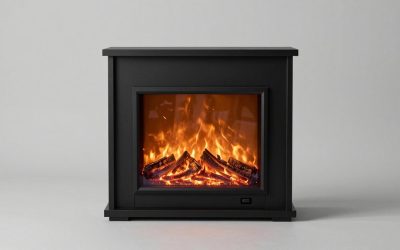
Fireplace Electric Black: Three Styles to Shop by InstallationShopping for a fireplace electric black model is easier once you choose... 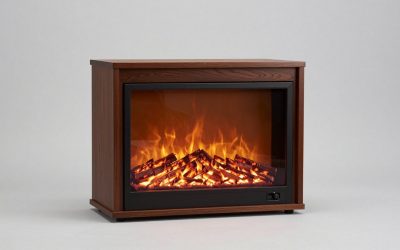
Brown Electric Fireplace: Find the Right Finish and FitFor a brown electric fireplace, decide first whether you need a movable... 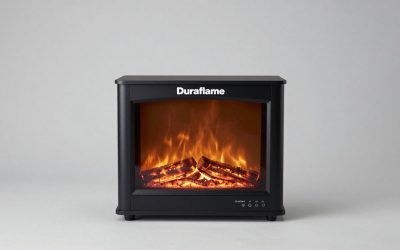
Duraflame Tabletop Electric Fireplace: Where to Buy the Compact HeaterIf you want a duraflame tabletop electric fireplace rather than a full-size... 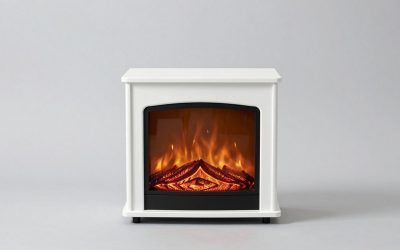
Small White Electric Fireplace: Compact Heaters to Check Before BuyingA small white electric fireplace can add visible flames and supplemental heat... 
Electric Fireplace for Sale: Choose the Right Heater and InstallationIf you need an electric fireplace for sale, choose the installation style... 
How to Install Dimplex Firebox Into Media Console: StepsStart by identifying the exact Dimplex firebox and cabinet models, confirming that... 
How Close Can a TV Be to a Wood Burner: Safe Distance TipsA wood stove can overheat nearby electronics even when its installation satisfies... 
Can Electric Fireplace Go Under TV: Safe Placement TipsYes, an electric fireplace may sit beneath a television when both manufacturers... 
Best Hybrid Water Heaters for Energy SavingsBest Hybrid Water Heaters for Energy Savings: Choose by Household and Installation... 
Best Gas Fireplace Inserts for Cozy RoomsThe best gas fireplace inserts for cozy rooms are vented direct-vent models... |