Key takeaways
- Shopping for an ergonomic desk chair with lumbar support gets confusing fast, because two chairs at the same price can adjust in completely different ways. This guide sorts four current models by what their makers actually publish — lumbar travel,…
Shopping for an ergonomic desk chair with lumbar support gets confusing fast, because two chairs at the same price can adjust in completely different ways. This guide sorts four current models by what their makers actually publish — lumbar travel, seat range and weight capacity — so you can match a chair to your body instead of a marketing label.
As an Amazon Associate we earn from qualifying purchases.
By KK Home Furnishings Editorial Team
How to Choose an Ergonomic Desk Chair
A good lumbar system is only useful if the rest of the chair fits you, so it helps to weigh four things together: how the back support adjusts, how far the seat moves, how much weight the frame is rated for, and what the warranty covers. Each criterion below pairs a published figure with the situation where it changes your pick.
Lumbar mechanism: height, depth, or both
Lumbar hardware splits into a few types: a fixed curve, a height-adjustable pad, a depth-adjustable pad, and systems that do both. The difference is measurable — Steelcase publishes 2.25 inches of lumbar-height travel on the Series 1, while a simpler two-way design like Branch’s moves the support in and out rather than up and down.
Which type you need depends on your torso, not the price tag. If a fixed pad lands between your shoulder blades instead of the small of your back, no amount of firmness fixes it, so taller and shorter sitters usually benefit most from a height-adjustable pad. Check the published lumbar-height range against where your spine actually curves.
The trade-off is that more lumbar adjustment means more moving parts that can loosen over years of daily use, so look at how the mechanism is warranted. Chairs that separate frame coverage from mechanism coverage tell you where failures start, and a brand that sells replacement parts is easier to live with than one that swaps the whole chair.
Seat height and depth range
Seat height decides whether your feet sit flat and your thighs stay level, and the published range tells you who a chair fits. The Series 1 moves across 16.5 to 21.5 inches, a 5.0-inch span, while many task chairs cover a narrower window — confirm your seated height lands inside the range, not at the very edge of it.
Seat depth is the second half and is easy to ignore. Too deep and the front edge presses behind your knees; too shallow and your thighs lose support. A 15.5-to-17.75-inch adjustable depth, like the Series 1’s, suits a range of leg lengths, so measure from your hip to the back of your knee rather than trusting a one-size seat.
If a chair bottoms out too high for you, the fix is a footrest rather than a new chair, but a seat stuck too low has no cheap remedy. Shared chairs in a home office need the widest range, since the recline and height settings get changed daily and those controls see the most wear over time.
Weight capacity and frame support
Weight capacity is a frame-strength spec, not a comfort one, and the published figure covers the sitter rather than added gear. Branch rates its Pro at 275 pounds, while the Herman Miller Verus lists 350 pounds, so heavier sitters get more margin from the Verus and should treat a rating near their weight as a floor, not comfort.
Capacity pairs with build: a steel base and a quality gas cylinder matter more than a high number on paper. If you are near a chair’s limit, the recline mechanism and cylinder are what sag first, so size up rather than buying at the edge of the rating, especially for all-day use at a desk.
The durability signal here is whether the maker sells replacement cylinders and bases. A chair rated well above your weight lasts longer because its parts work below their limit, and brand-backed models like the Verus make those parts easier to source than marketplace-only chairs over a decade of use.
Warranty, parts and running cost
Warranty length and structure separate a disposable chair from a long-term one. Branch backs the Pro for seven years, which is generous for its tier, and the useful detail is whether coverage splits the frame from the mechanism, since recline tension, casters and cylinders tend to fail before the frame does.
Running cost is low for chairs compared with appliances, but it is not zero: casters, a gas cylinder or an armrest pad may need replacing over years of daily use. A brand that sells those parts individually is cheaper to keep than one that only replaces the whole chair, so check parts availability before buying.
Office chairs are commonly tested to the BIFMA X5.1 durability standard [BIFMA, 2017], and some carry GREENGUARD certification for low emissions, which matters for a new chair in a small room. Neither is a performance promise, but both are quick, verifiable signals that a chair was built and tested to a published spec.
Top Picks
These four cover the useful range of an ergonomic desk chair with lumbar support, from a fully documented premium pick to a mainstream-budget standby. Office task chairs are commonly certified to the BIFMA X5.1 durability standard, so checking for it is a quick way to compare build quality across brands.
| Product | Best For | Key Spec | Watch Out For |
|---|---|---|---|
| Steelcase Series 1 | Best overall adjustability | Seat height 16.5-21.5 in (5.0-in travel); lumbar-height travel 2.25 in; seat depth 15.5-17.75 in | Premium tier; confirm the current price |
| Branch Ergonomic Chair Pro | Best documented build | 25 x 24 in footprint; 38-41.2 in height; 275-lb rating; two-way lumbar; 7-year warranty | Two-way lumbar adjusts depth, not height |
| Herman Miller Verus | Best for heavier or taller sitters | 350-lb capacity; seat height 16.75-20.75 in; seat depth 16-18.75 in (product page) | Maker’s spec page lists different seat figures — confirm your configuration |
| HON Ignition 2.0 | Best for a mainstream office budget | Manufacturer-stated adjustable lumbar and seat range; exact figures not confirmed here | Verify the published seat and lumbar specs before buying |
Steelcase Series 1 — Best Overall Adjustability
The Series 1 earns the top spot because Steelcase documents the adjustments that matter most for back support: 5.0 inches of seat-height travel (16.5 to 21.5 inches) and 2.25 inches of lumbar-height travel, so you can place the back curve where your spine needs it. It sits in the premium tier, which is where its parts support lives.
That range suits a wide span of heights at one desk, which matters in a shared home office, and the 15.5-to-17.75-inch seat depth lets longer and shorter legs both get thigh support. It ships largely pre-assembled, so setup is mostly attaching the base and casters rather than a full build from flat-pack parts.
The honest drawback is cost and firmness: it is a premium-tier chair, and some sitters find its seat foam firmer than plush task chairs. Over years, the recline tension and casters are the usual wear points, so confirm whether those parts are sold separately before you commit to this one.
Branch Ergonomic Chair Pro — Best Documented Build
Branch’s Pro is the pick when you want published, model-level numbers across the board: a 25-by-24-inch footprint, a 38-to-41.2-inch height range, a 275-pound rating and a two-way lumbar pad, backed by a seven-year warranty. It lands in the mid-to-upper tier for ergonomic task chairs rather than the premium bracket.
The compact footprint fits tighter desks better than a full executive chair, and the long warranty is unusual at this tier, which lowers the real cost of ownership if a gas cylinder or arm fails inside coverage. Measure your desk return first, because the armrests set the minimum clearance you will need.
Its lumbar moves in and out rather than up and down, so if the pad height does not line up with your spine you cannot raise it — a real limit for very tall or very short sitters. Confirm the 275-pound rating fits your use, since that figure covers the sitter, not added gear on the chair.
Herman Miller Verus — Best for Heavier or Taller Sitters
The Verus is the choice when capacity and height headroom matter: the product page lists a 350-pound rating, a 16.75-to-20.75-inch seat height and a 16-to-18.75-inch seat depth. That capacity gives bigger sitters more margin than the 275-pound frames above, though it still counts the person, not extra load placed on the seat.
The taller seat ceiling helps if a high desk or a tall sitter leaves other chairs maxed out, and the deeper seat suits longer thighs. Because it is a brand-backed office chair, parts and warranty service are easier to find than with marketplace-only brands, which matters over a decade of daily use at one desk.
The catch is a documentation one: Herman Miller’s own spec sheet lists different seat-height and depth figures than the product page, so treat the numbers as approximate and confirm the exact configuration you are ordering. Lock the lumbar and seat-depth option on the page you actually buy from before checkout.
HON Ignition 2.0 — Best for a Mainstream Office Budget
The HON Ignition 2.0 is the mainstream-office option, widely stocked and offered in several builds. HON states it includes adjustable lumbar support and a seat-height range, but we could not confirm the exact published figures for this configuration, so treat its specs as manufacturer-stated and verify them on the listing you choose.
Its appeal is availability and a familiar warranty path through a major office brand, which makes replacement parts and service more predictable than with unbranded chairs. If it is the ergonomic desk chair with lumbar support your office already standardizes on, consistency across desks is a practical reason to stay with it.
Because the Ignition 2.0 comes in many trims — mesh or upholstered, with or without a headrest and adjustable arms — the lumbar and seat specs shift between them. Confirm the exact trim’s published seat-height range and lumbar type before buying, since the base model adjusts less than the fully loaded one.
Frequently Asked Questions
A few questions come up again and again when people compare lumbar chairs, usually about what the support actually does and whether paying more guarantees a better back. The short answers below lean on published adjustment ranges rather than marketing, since fit is personal and no chair treats a medical condition.
What does lumbar support actually adjust?
Lumbar support adjusts where and how firmly a chair pushes into the curve of your lower back. The useful specs are height — how far the pad moves up and down, such as the 2.25 inches Steelcase publishes on the Series 1 — and depth, how far it pushes forward, which is what a two-way pad changes on a chair.
Height adjustment matters most if your torso is longer or shorter than average, because a fixed pad can land above or below your spine’s curve. Depth adjustment matters if you lean back often. Your height, how upright you sit and whether you recline all change which type helps, so match the mechanism to how you work.
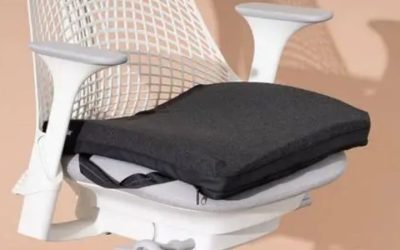
If a pad cannot reach your lumbar curve, a separate cushion is a cheaper fix than a new chair, though it adds depth you lose at the seat front and nudges you forward, so re-check your knee clearance afterward. Measure from the seat to the small of your back and compare it to the chair’s published lumbar-height range before you decide.
Is a pricier chair always better for your back?
Not necessarily. A higher price often buys more adjustment range and better warranties, but comfort comes from fit, and a mid-tier chair that matches your body can feel better than a premium one that does not. Published seat and lumbar ranges tell you more about fit than the price does on its own.
What changes the answer is your proportions and your desk. A tall sitter at a high desk may genuinely need the extra seat-height travel a premium chair offers, while an average-height user at a standard desk may sit well lower in the range. None of these chairs treats back pain — see a clinician for a medical issue.
Where spending more reliably pays off is longevity: parts availability and multi-year warranties lower the cost of keeping a chair in service. Before upgrading, confirm your current chair’s seat height actually reaches your elbow at the desk — often the real problem is desk height, not the seat you are sitting in.
How do I know a chair fits me?
A chair fits when your feet rest flat, your thighs sit roughly parallel to the floor and the lumbar pad meets the curve of your back. Check the seat-height range first: the Series 1’s 16.5-to-21.5-inch span covers most adults, but very short or very tall sitters should confirm they land inside the published range.
Seat depth is the overlooked half — you want two to three fingers between the seat edge and the back of your knees. Deeper seats like the Verus suit longer legs, shallower ones suit shorter legs. Your leg length, not your overall height, usually decides this, so measure rather than guess from a size chart.
If a chair sits too high at its lowest setting, a footrest restores the flat-foot position more cheaply than swapping chairs. Measure your seated elbow height and your desk height before buying, because a seat that fits you can still be wrong for a desk that is too tall — the more common culprit — or too low for your legs.
Two-way or four-way lumbar — which do I need?
Two-way lumbar, like Branch’s, moves the support in and out; four-way systems also move it up and down. If your spine’s curve already lines up with a fixed pad height, two-way is usually enough. If it does not, you will want the height adjustment that a four-way or height-adjustable pad provides.
The deciding variable is torso length. Average-height sitters often find the factory pad height close enough, so depth-only control is fine. Longer or shorter torsos, or anyone who shares one chair across a household, tend to need height movement so each person can place the curve correctly against their back.
More adjustment adds parts and cost, so do not pay for four-way if a simpler pad already lands right for you. Test it by sitting back fully: if the firmest part of the pad meets the small of your back, depth control is all you need, and the money is better spent on seat-height range or a longer warranty.
Final Thoughts
The right ergonomic desk chair with lumbar support is the one whose seat and lumbar ranges match your body and your desk, not the one with the biggest name. Measure your seated elbow height first, confirm the exact configuration — Herman Miller’s pages disagree on the Verus — and check whether mechanism parts are sold separately before you buy.