Key takeaways
- Choosing among tv stands for a 60 inch tv trips people up when they size the stand to the screen’s diagonal rather than the TV’s actual feet. This guide compares four current stands by width against real foot span, the…
Choosing among tv stands for a 60 inch tv trips people up when they size the stand to the screen’s diagonal rather than the TV’s actual feet. This guide compares four current stands by width against real foot span, the side margin each leaves, weight and tip-over safety, so a big screen sits stable and centered.
As an Amazon Associate we earn from qualifying purchases.
By KK Home Furnishings Editorial Team
How to Choose a TV Stand for a 60-Inch TV
A 60-inch TV is defined by its diagonal, but what rests on the stand is its feet and its weight, so choose around those. Weigh four things: the stand’s width against your TV’s actual foot span, the heavier screen’s weight against the rating, whether it anchors against tipping, and the depth, storage and height for your room.
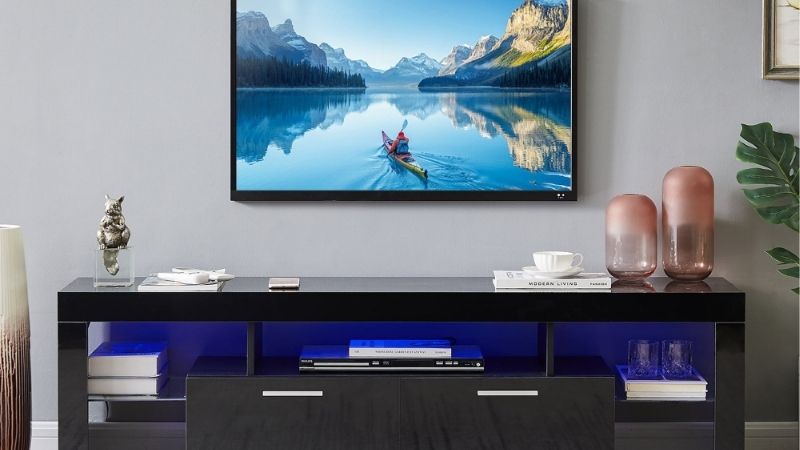
Width vs the TV’s foot span
The number that matters is the distance between the TV’s feet, not the 60-inch diagonal. Side margin tells the story: subtract the foot span from the stand width and halve it. On a 45-inch example foot span, these stands leave about 12.9 inches a side on a 70-inch unit down to about 4.5 inches on a 54-inch one.
Measure your TV’s feet first, since foot span varies between 60-inch models and some use a center pedestal. Treat the 45-inch figure as an example, not a rule, because a wider span eats into the margin fast. Wide-set feet need a wider stand with real margin each side so the set does not overhang or perch near an edge.
Width also drives stability and looks: a stand only as wide as the feet leaves a big screen perched and prone to tipping if bumped, while a wider one centers it and leaves room for a soundbar. Aim for margin on each side rather than a flush fit, and center the TV over the base rather than one end of the unit.
Weight and build
A 60-inch TV is heavier than a smaller set, so the stand’s rating and build matter more. We could not confirm the exact weight limits for these stands here, so verify each published figure before buying, and match it to the TV plus any soundbar or console you plan to place on the same top surface.
Match what you store to the deck and shelves, not just the headline. A big TV plus a receiver, console and discs adds up, and budget stands sag at thin shelf centers first, so keep heavy gear low and centered over supports. Confirm whether shelves are rated individually, since a total rating split across thin shelves is weaker.
Build quality shows over time: a solid top deck carries a heavy screen better than a thin open shelf, and particleboard strips at screw holes under load. For a heavy 60-inch setup, favor a sturdier unit and verify the rating rather than trusting width, since a wide stand is not automatically a strong one when loaded with gear.
Anti-tip and anchoring
A 60-inch TV is top-heavy, so anchoring is part of choosing well, not an afterthought, especially with children or pets. Strapping the TV to the stand and the stand to the wall is the most effective step against tip-over, which US safety standards through the CPSC exist to address for exactly this kind of large, high screen.
The larger the TV, the greater the leverage if it is pulled or bumped, so anchor both the furniture and the TV rather than relying on the stand’s weight. Check that the unit has a solid rail or frame to screw an anchor into rather than thin particleboard, since a flimsy back holds a wall anchor poorly under a heavy screen.
Anchoring also lets you safely use a narrower stand with tighter side margins, which widens your options for a small room. For a modular unit like the BESTÅ, follow the maker’s wall-attachment guidance for your configuration, since some setups are designed to be secured and are less stable freestanding under a large screen.
Depth, storage and height
Depth, storage and height shape daily use as much as width. A 60-inch setup usually pairs with more electronics, so a deeper unit holds a receiver and console with room for airflow, while a shallow one leaves them cramped. We could not confirm these stands’ depths here, so verify them against your gear before buying.
Height matters for viewing: the screen’s center should sit near seated eye level, often around 40 to 48 inches off the floor depending on your sofa, which usually means a lower, wider console for a big TV. Measure your seated eye line first, since a tall cabinet can push a 60-inch screen uncomfortably above your view.
Storage style drives longevity too: enclosed cabinets need ventilation for warm electronics, and cable management keeps a growing setup usable. A unit with a cord cutout and adjustable shelves adapts as you add devices, which matters more over years than the shelf count you start with, so choose for how your gear will change.
Top Picks
These four cover the range of tv stands for a 60 inch tv setups, from a wide modular unit to a compact budget stand. Their widths and the side margins on a 45-inch example foot span are shown; other specs were not confirmed here, so measure your TV’s feet and verify each stand’s load and depth before buying.
| Product | Best For | Key Spec | Watch Out For |
|---|---|---|---|
| IKEA BESTA 70.875 in | Best for the widest margin | About 70.875-in width; ~12.9 in side margin on a 45-in foot span | Large footprint; confirm load and depth |
| IKEA LACK 63 in | Best balanced width | About 63-in width; ~9 in side margin on a 45-in foot span | Specs beyond width not confirmed — verify |
| Walker Edison 59 in | Best for tighter spaces | About 59-in width; ~7.25 in side margin on a 45-in foot span | Margin shrinks with wide-set feet |
| Walker Edison Cottonwood 54 in | Best compact option | About 54-in width; ~4.5 in side margin on a 45-in foot span | Tight margin; measure foot span carefully |
IKEA BESTA 70.875 in — Best for the Widest Margin
IKEA’s BESTA 70.875-inch unit is the pick when you want the most room around the TV: at about 70.875 inches wide, it leaves roughly 12.9 inches of margin on each side of a 45-inch foot span, so a 60-inch TV sits well centered with space for a soundbar. Its other specs were not confirmed here. It sits in the mid tier for media units.
The generous width centers a 60-inch screen comfortably and suits a modular system you can configure with doors and drawers, which makes it as much furniture as a TV stand. Confirm the load rating and depth against your TV and gear, and measure your wall, since the wide footprint needs real space to sit cleanly in a room.
The drawbacks are footprint and unconfirmed specs: it is large for a small room, and we could not verify its weight limit or depth here, so check them before buying. As a modular unit it may need wall attachment depending on configuration, so follow IKEA’s anchoring guidance, especially in a home with children or pets.
IKEA LACK 63 in — Best Balanced Width
IKEA’s LACK 63-inch unit is the balanced choice: at about 63 inches wide, it leaves roughly 9 inches of margin on each side of a 45-inch foot span, centering a 60-inch TV without the bulk of the widest units. Its specs beyond width were not confirmed here, so treat them as manufacturer-stated and verify the load and depth.
The width suits most living rooms, leaving room for a soundbar while fitting walls that cannot take a 70-inch unit. The clean, low profile keeps the look light, and it assembles quickly. Confirm the shelf load against your gear and anchor it, since a wide, low stand under a heavy 60-inch TV benefits from wall attachment.
The drawbacks are the open design and unconfirmed specs: verify the width fits your foot span with margin, check the load, and expect particleboard construction that needs heavy items centered. With less side margin than the BESTA, measure your TV’s feet carefully so the screen is not left perched near the edges of the top.
Walker Edison 59 in — Best for Tighter Spaces
Walker Edison’s 59-inch stand is the pick for tighter spaces: at about 59 inches wide it leaves roughly 7.25 inches of margin on each side of a 45-inch foot span, enough to center a 60-inch TV where a wider unit will not fit. Its other specs were not confirmed here, so verify the load and depth against your setup before buying.
The narrower width suits a wall that cannot take a 63- or 70-inch unit while still clearing most 60-inch foot spans with modest margin. Walker Edison stands often come in several finishes, so the look adapts to the room. Confirm your TV’s foot span fits within the width with margin, since wide-set feet eat into the 7.25 inches quickly.
The drawbacks are the slimmer margin and unconfirmed specs: a wide-footed TV may leave little room each side, so measure carefully, and verify the weight limit and depth. As a mid-width stand under a heavy screen it should be anchored, and the tighter margin makes centering the TV over the base more important for stability.
Walker Edison Cottonwood 54 in — Best Compact Option
Walker Edison’s Cottonwood 54-inch unit is the compact pick: at about 54 inches wide it leaves only about 4.5 inches of margin on each side of a 45-inch foot span, so it suits a 60-inch TV with narrow-set feet in a small room. Its other specs were not confirmed here, so measure your foot span and verify the load before buying.
The small footprint fits a bedroom or a tight living room where larger units overwhelm the space, and the farmhouse styling reads as furniture. Because the side margin is tight at 4.5 inches on a 45-inch span, measure your TV’s actual foot span first, since a wider span could leave the feet near or over the edges of the top.
The drawbacks are the tight margin and unconfirmed specs: confirm the foot span fits with any margin at all, and verify the weight limit, since a compact stand can run lighter on capacity. Anchor it under a heavy 60-inch TV, and if your foot span is wide, step up to the 59-inch or wider stand rather than forcing the fit.
Frequently Asked Questions
A few questions decide whether a stand suits a 60-inch TV, usually about width, weight and safety. The answers below use the stand widths and a side-margin example and stress measuring your TV’s feet, since a 60-inch diagonal does not tell you how wide the stand actually needs to be for a stable fit.
How wide should a stand be for a 60-inch TV?
Wider than the TV’s foot span, not the 60-inch diagonal. Measure the distance between the feet, then choose a stand wider than that with margin each side. Subtracting a 45-inch example foot span from each stand here gives about 12.9 inches a side on a 70-inch unit down to about 4.5 inches on a 54-inch one.
What changes the number is your TV’s foot design. Wide-set feet need a wider stand than a center pedestal, and a soundbar beside the TV needs extra width. Treat the 45-inch figure as an example, not a rule, since foot span varies between 60-inch models, so measure yours rather than assuming it matches the example used here.
Aim for real margin rather than a flush fit, since a stand only as wide as the feet looks perched and tips more easily. If your foot span is wide, favor the 63- or 70-inch units; if it is narrow and space is tight, the 54- or 59-inch stands work, provided you center the TV and anchor it for stability.
How much weight can a 60-inch TV stand hold?
It varies, and 60-inch TVs are heavier than smaller sets, so check each stand’s rating rather than assuming. We could not confirm the exact weight limits for these stands here, so verify the published figure before buying, and match it to the TV plus any soundbar or console you plan to place on the same surface.
A 60-inch TV can weigh substantially more than a 40-inch one, so the top deck’s rating matters more than on a small stand. Keep heavy gear low and centered over supports, and confirm whether shelves are rated individually, since budget stands sag at thin shelf centers first under a receiver, console and stacked discs.
If your TV or gear is heavy, favor a solid-topped unit over a thin open shelf, and verify the rating rather than trusting width. A wide stand is not automatically a strong one, so for a heavy 60-inch setup confirm both the top and shelf limits, and anchor the stand so weight high up does not become a tip risk.
Do I need to anchor a 60-inch TV stand?
Yes, a 60-inch TV is top-heavy and worth anchoring, especially with children or pets. Strapping the TV to the stand and the stand to the wall is the most effective step against tip-over, which US safety standards through the CPSC exist to address. A heavy screen on a stand is exactly the setup those standards target.
Whether it is strictly required depends on your home, but the larger the TV, the greater the leverage if it is pulled or bumped. Anchor both the furniture and the TV rather than relying on the stand’s weight, and check that the unit has a solid rail or frame to screw an anchor into rather than thin particleboard.
Anchoring also lets you safely use a narrower stand with tighter margins, which widens your choices for a small room. For a modular unit like the BESTA, follow the maker’s wall-attachment guidance for your configuration, since some setups are designed to be secured and are less stable freestanding under a large screen.
How deep should the stand be, and how high?
Depth should support the TV’s stand or pedestal fully and fit your gear, while height should put the screen near seated eye level. We could not confirm these stands’ depths here, so verify them, and check that a pedestal TV’s base sits fully on the top rather than overhanging the front or back edge of the unit.
For height, aim for the screen’s center near seated eye level, often around 40 to 48 inches off the floor depending on your sofa, which usually means a lower, wider console for a 60-inch TV. Measure your seated eye line before choosing a tall unit, since a high cabinet can push a large screen uncomfortably above your view.
Depth also affects storage and heat: a deeper unit holds a receiver and console with room for airflow, while a shallow one may leave them cramped. Confirm the depth against your gear and leave ventilation space, since a 60-inch setup usually pairs with more electronics that need room to shed heat behind and around the stand.
Final Thoughts
The right pick among tv stands for a 60 inch tv setups is the one whose width clears your TV’s actual foot span with real margin, holds the heavier screen and gear, and anchors to the wall. Measure the feet rather than the diagonal, treat the side-margin example as a guide not a rule, and verify each stand’s load and depth before buying.