Key takeaways
- Read recliner USB output, shared-port limits and device requirements before relying on built-in charging. Includes a specification worksheet.
A recliner’s USB port is convenient only if its documented output suits the device you want to charge. The presence of a socket does not establish fast charging, laptop compatibility or a particular charging time. Identify the exact furniture model, read the port specification and compare it with the device and cable requirements before making the feature part of your buying decision.
Separate the connector from the charging specification
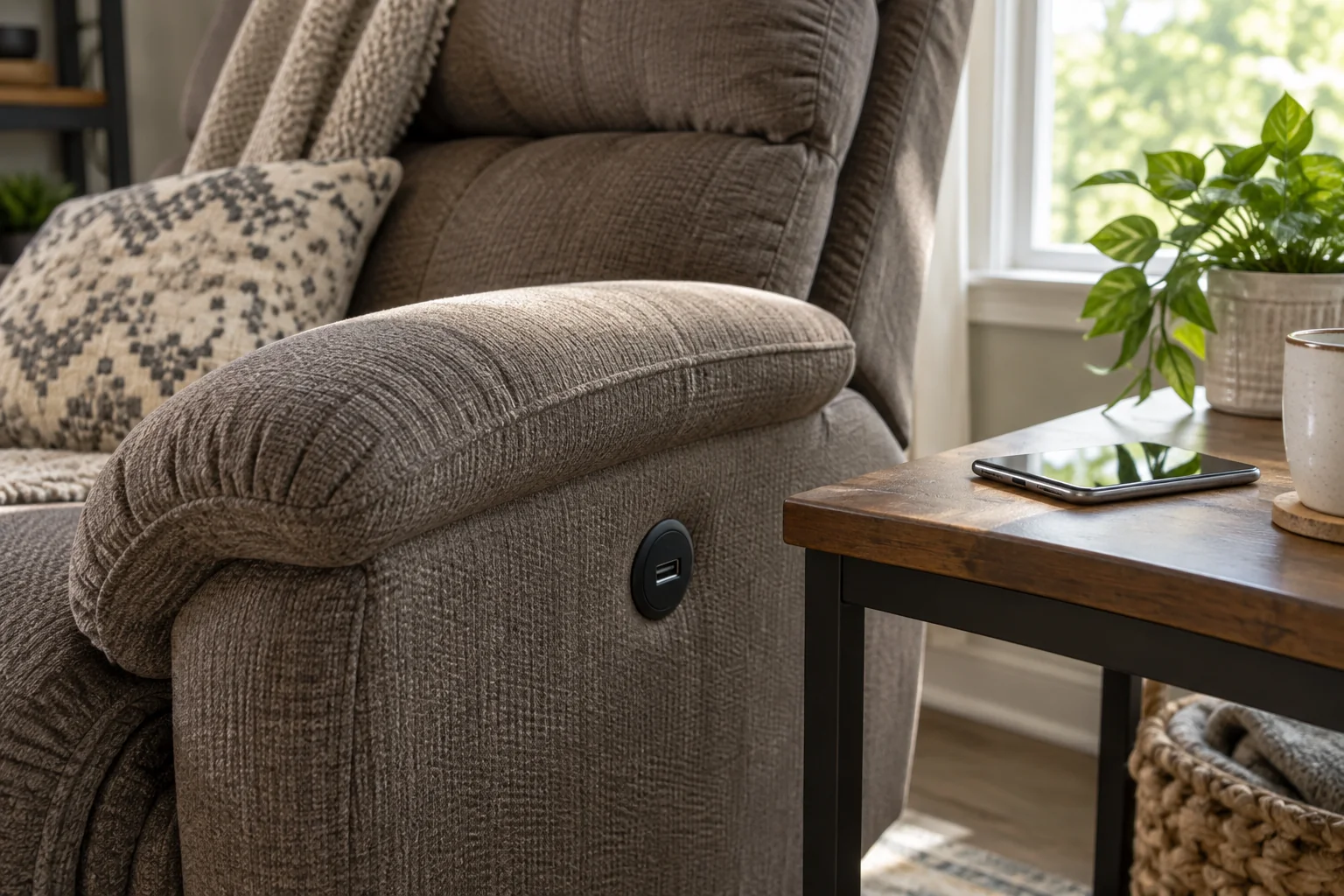
Start by recording which connector the furniture provides and which cable your device requires. Then look for the voltage, current or power rating in the exact control-panel or accessory instructions. Do not infer the electrical output from the shape of the opening or a photograph of a different recliner in the same collection.
For a concrete example, La-Z-Boy manual DOC016530 gives a USB output of 5 volts DC and 1.0 amp for the relevant controls described there. Multiplying those stated values gives a nominal five-watt output rating. This example is specific to the documented equipment; it does not establish the specification of every La-Z-Boy recliner or promise that a connected phone receives five watts continuously.
Build a port-and-device comparison sheet
Use the furniture manual and the device manufacturer’s charging information. If the manual covers several configurations, match the pictured controls and model details to the item being sold. Ask the retailer to identify the applicable section if the product listing only says “USB included.” Keep an unanswered field marked unknown.
| Field | Furniture information | Device or use information |
|---|---|---|
| Connector | Type and location of the actual port | Compatible cable and device connection |
| Output | Documented voltage, current or wattage | Supported charging input and any protocol requirements |
| Multiple ports | Separate rating or shared total, if specified | How many devices you expect to connect |
| Function | Charging or other explicitly stated capability | Charging only, or an expectation such as data transfer |
| Operating condition | When the port is powered, according to instructions | Whether that suits your normal use |
| Cable route | Approved routing clear of moving mechanisms | Where the device will rest while connected |
What the rating can and cannot tell you
A stated maximum output helps identify the capability being offered. It does not, by itself, give a full-charge time. The device’s charging behavior, compatibility and use during charging matter too. Avoid comparing two recliners by an invented “minutes to full” number calculated from the USB label alone.
If a device’s preferred charger supports a named fast-charging protocol, look for an explicit statement that the furniture port supports the relevant requirement. A cable that physically connects does not add an undocumented protocol to the recliner. Likewise, do not assume that a port intended for phone charging provides laptop charging or a data connection.
Illustrative comparison: a documented port and an unknown port
Suppose fictional Recliner A states 5 volts and 1 amp, while Recliner B’s listing merely says “dual USB.” A has a documented nominal five-watt figure. B’s output, per-port allocation and shared limit remain unknown. Two sockets alone do not prove that B supplies twice A’s power or charges two phones equally quickly.
The next step is to request B’s manual or rating information. If it specifies one shared limit, record that separately from the number of sockets. If the information is unavailable, judge B as offering an unverified convenience feature rather than giving it a performance advantage. This comparison uses invented products and is not a charging test.
Plan a place for the phone and cable
Consider where the phone will rest without being caught in cushions, dropped into the mechanism or pulled by a cable when the chair changes position. Use the furniture’s routing and operating instructions. A side table may solve the resting-place question, but its location must also respect the recliner’s movement clearance.
The same La-Z-Boy manual includes precautions about damaged electrical parts, liquids and pinched cords, and directs service to the dealer rather than user modification. Treat those as reasons to follow the actual model’s instructions, not to improvise a wiring change for higher charging output. Keep a cable clear of the mechanism; do not reach into moving furniture to retrieve it.
If charging is unreliable
First check the documented compatibility and whether the port is supposed to be powered in the current operating condition. Inspect accessible cable ends and the port without opening the control housing. Follow the manufacturer’s troubleshooting steps, and stop using damaged equipment. Record what happens with the identified device and an appropriate undamaged cable so support can understand the symptom.
Do not replace the furniture’s power supply, splice wiring or install a different USB module based on a higher number printed on an unrelated charger. Those changes are outside a simple feature comparison. If the built-in port does not meet your needs, evaluate another charging arrangement that follows both the device and furniture instructions.
Buy the chair for a documented use case
Write a short conclusion such as “output documented for this model; compatibility confirmed with my device; cable route practical” or “output not supplied; charging feature remains unverified.” That is more informative than describing every USB-equipped recliner as fast-charging.
Keep the worksheet with the furniture manual because a future phone or cable may have different requirements. The best result is a clear understanding of the port you are buying, its limits and how you will use it while keeping the recliner’s normal operation unobstructed.