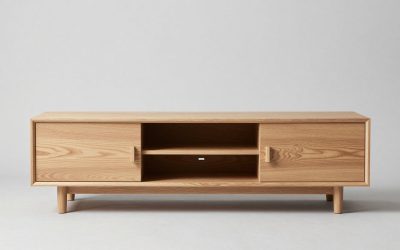
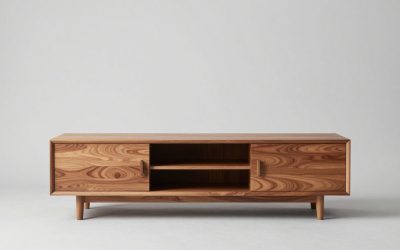
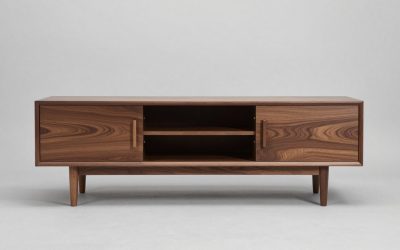
A TV stand works best when it holds only what serves watching, listening, or everyday access. Put the television on it only if both the furniture and its factory support allow that setup; otherwise prioritize audio equipment, a few useful devices, and modest decor. If you are deciding what goes on tv stand, start with safe placement and keep the rest easy to reach.
As an Amazon Associate we earn from qualifying purchases.
By KK Home Furnishings Editorial Team
What Belongs on a TV Stand and What Belongs Elsewhere?
The most functional arrangement depends on whether your screen stands on the cabinet or hangs separately on the wall. A tabletop TV consumes both support space and access behind the screen; a wall-mounted TV frees the top for sound and small objects. Neither arrangement justifies crowding ventilation openings, speaker drivers, or walkways.
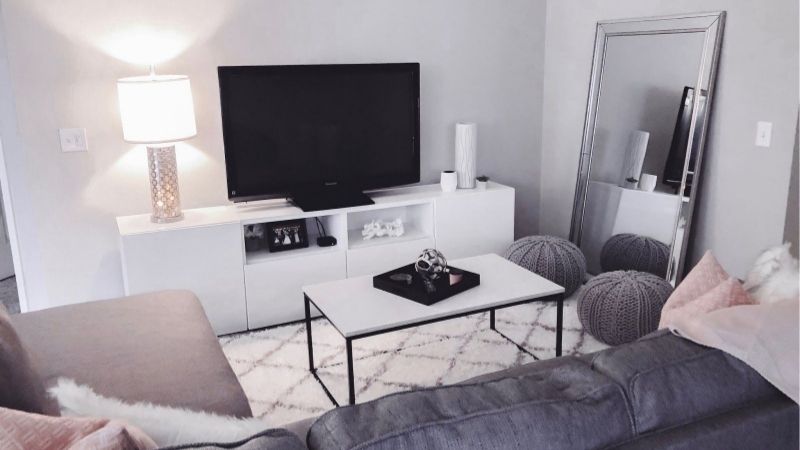
Start With the TV and Its Approved Support
A television can sit on a purpose-built TV stand when its original feet or base fit entirely on the approved top and the furniture maker permits its weight. Do not interpret a sturdy appearance as a load rating. CPSC advises using furniture designed to support televisions and securing the TV against tip-over [CPSC, Anchor It!, accessed October 2026].
Keep decorative objects away from the TV feet and from spots that need cleaning or cable access. If the screen is wall-mounted, its load belongs to a compatible wall-mounting system, not to the cabinet below. Your top-surface plan can then focus on audio placement, a clear center area, and objects that will not be hit by a moving screen.
Give Speakers and Electronics Their Own Working Space
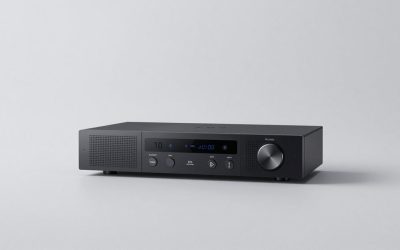
Soundbars are not simply ornaments. For example, Sonos says its Arc Ultra should rest on a stable horizontal surface, outside an enclosed cabinet, with controls facing upward. Sonos also recommends positioning it in front of and below the TV when practical [Sonos, Arc Ultra User Guide, accessed October 2026]. Check your own speaker model before copying that layout.
Streaming players, game consoles, receivers, and routers have different airflow and cable needs. A PlayStation 5, for instance, is not suitable for a cramped unventilated cubby; Sony advises leaving at least 10 cm between that console and a wall [PlayStation, PS5 FAQ, 2020]. That example is model-specific, not a clearance requirement for every device.
Separate Display Pieces From Frequently Used Objects
A small picture frame, a low decorative bowl, or an intentional stack of books can soften a technology-heavy setup. The practical test is whether you can reach remotes, see the screen, and unplug a device without moving the display. One compact grouping is often easier to clean than accessories arranged across the entire cabinet.
Daily clutter belongs in accessible storage rather than mixed into a display. Put remotes and spare batteries in a shallow drawer or compartment where they are easy to retrieve but not tempting for a child to climb toward. CPSC specifically warns against leaving enticing objects on TV furniture in homes with children [CPSC, Anchor It!, accessed October 2026].
| Item | Best starting location | Placement condition | Avoid |
|---|---|---|---|
| TV on factory stand | Cabinet top, centered | Furniture and TV supports approved; anti-tip setup | Overhanging feet or unsupported furniture |
| Soundbar | Front of top below TV | Stable, level; model-specific speaker clearance | Blocking the TV picture or upward drivers |
| Streaming player | Open shelf or accessible rear area | Cable reach and ventilation per maker | Buried devices and strained leads |
| Game console | Ventilated open shelf | Exact unit orientation and airflow requirements | Sealed, dust-filled cubby |
| Remotes and small accessories | Drawer or closed low basket | Convenient access without child climb incentive | Loose piles high on furniture |
| Books, frame, low sculpture | Small side grouping | Below picture line and away from controls | Tall pieces near screen or TV feet |
| Plant or lighting accent | Stable side area if appropriate | No spills, glare, heat or blocked ventilation | Water containers above electronics |
Adjust the Surface for Seven Everyday TV-Stand Setups
Think of the stand in working zones rather than as one shelf to fill. Use the middle only for approved TV support or sound equipment; choose an accessible position for the electronics you operate; and reserve a small outer area for personal accents. The following setups answer different practical needs without turning your media center into a display shelf.
1. When the Television Sits on the Cabinet
The television is the main item on the top, so let its factory feet define the no-clutter area. Position the set exactly as its instructions allow, keep the control sensor visible, and reserve space behind it for cords. Extra picture frames placed behind the screen do not add much visual value and can complicate access to ports.
If the cabinet top is barely large enough for the full factory footprint, do not squeeze a game console beside a leg just to use every inch. A separate shelf may be the better home for devices. An anchored TV and manufacturer-approved cabinet matter more than symmetry, especially where curious children or active pets share the room.
2. When the TV Is Mounted Above the Stand
A wall-mounted screen often leaves an uninterrupted top that can hold a soundbar in the central zone and a restrained decorative object toward either end. Keep the gap below the picture visually open rather than filling it with tall vases. If the TV tilts or swivels, test the range before committing to a speaker or decor position.
If an upward-firing soundbar sits below the TV, model guidance takes priority over appearance. Sonos specifies at least 4 inches between the top of Arc Ultra and the bottom of the TV when that bar is placed below the screen [Sonos, Arc Ultra User Guide, accessed October 2026]. Other speakers may require a different arrangement.
3. When You Have a Soundbar and Streaming Box
Keep the soundbar on a firm horizontal surface in the location recommended by its maker, not hidden behind a plant or inside a closed cabinet for a cleaner photo. A small streaming box can often live on an accessible shelf near its HDMI and power connections, provided its own instructions permit that location and leave adequate airflow.
Before placing a box behind the television, check the remote technology and pairing requirements rather than assuming every remote needs line of sight. Label cables at the back so you can disconnect one device without tugging on the others. A neat setup should remain easy to troubleshoot, not just look uncluttered from the sofa.
4. When Games and Multiple Consoles Take Priority
Open, ventilated compartments usually make more sense for game consoles than a tightly packed closed display shelf. Check each device manual for its permitted orientation and air inlets, then leave the needed space uncovered. Sony’s PS5 airflow advice is an example of why storage should follow the device rather than the cabinet photograph.
Give controllers, disc cases, and charging accessories a dedicated lower drawer or nearby container. Avoid stacking objects on powered devices or placing decorative cloth over vents. If a shelf is too shallow for the ports and cable bends behind a console, reconsider the compartment rather than forcing the cords against the wall.
5. When the Stand Has Open Shelves but Few Drawers
Use the easiest-to-reach open shelf for frequently used hardware and a stable shallow tray for small items, if it does not obstruct ventilation. Conceal seldom-used manuals, spare HDMI leads, and remote batteries in a lidded organizer on a lower shelf. Leave at least one section open if the furniture otherwise looks crowded.
Choose organizers that fit the actual shelf opening with room to pull them out. Woven baskets may be attractive for paper and controllers, but they are poor substitutes for the clear airflow an electronic device needs. Cable clips on the rear panel can help separate leads from objects without sealing the back of the cabinet.
6. When You Want a Minimal, Decor-Led Surface
Choose one low grouping, such as a framed photograph and a small sculptural object, and allow visible empty space. The television and any speaker should remain the strongest focal point. A spare tabletop does not require matching ornaments on both ends; uneven grouping can work if it leaves access to device buttons and connections.
Consider materials and maintenance before buying accents. A soft-bottomed object is less likely to mark a delicate top than rough stone, while a low frame is less likely to intrude into the picture. This article is about what belongs where; the separate question of matching the stand to a sofa, walls, or wood finishes calls for a roomwide color plan.
7. When Plants, Lamps, or Children Change the Plan
If you want greenery, prefer a stable arrangement that cannot drip onto electrical equipment, and never water a plant above electronics. A small lamp is useful only when its beam does not reflect on the screen or heat nearby equipment. Tall stems, dangling light cords, and heavy pots near a cabinet edge add avoidable complications.
In a household with children, place enticing objects away from the top instead of relying on verbal reminders not to climb. Anchor the furniture and television as directed, protect accessible cables, and keep breakable accents elsewhere [CPSC, Anchor It!, accessed October 2026]. Practical safety limits the display before styling preferences do.
Frequently Asked Questions
The last decisions often concern visibility, cleaning, and where to keep small objects when the top is already occupied. These answers focus on day-to-day use, not on shopping for a new stand. Your actual TV, speaker, and cabinet manuals remain the deciding references whenever a particular setup involves load limits or airflow.
Can I Put Decorations in Front of My TV?
Yes, if they stay entirely outside the picture, do not obstruct infrared sensors or speaker drivers, and cannot strike the screen when someone adjusts it. Low accents near an outer edge are usually more practical than a row of objects along the TV base. The aim is to keep the screen easy to watch and the furniture simple to clean.
Try viewing a favorite program from your normal seat before deciding a decoration is low enough. A short object may still block subtitles from a low seating position. Check the TV stand or wall mount travel, and move anything that might be knocked over when the screen rotates. Keep the path to power connections reachable.
Should Remotes Go on Top of the TV Stand?
Not necessarily. An adult household may find a shallow tray convenient, but a drawer or accessible side basket usually keeps the surface tidier. In rooms used by children, the safer approach is to avoid placing remotes on top as attractive targets for climbing, consistent with CPSC guidance on TV-furniture tip-over hazards.
If remotes need to stay close to the seating area, a small table beside the sofa can be more useful than the media cabinet itself. This prevents repeated trips across the room and keeps charging leads from accumulating around the screen. Store spare batteries separately in a child-resistant location where appropriate.
Can I Put a Game Console Inside a TV Stand Cabinet?
Only if the compartment and its ventilation satisfy the console maker’s requirements. Some models are unsuitable for a sealed shelf, and a tidy door can trap heat even when the device appears to fit. PlayStation’s published PS5 guidance specifically warns against cramped spaces and blocked vents [PlayStation, PS5 FAQ, 2020].
Check not just the shelf height but the rear clearance for power and HDMI plugs, the direction air enters and exits, and access when you need to remove a disc. A ventilated open cubby can be useful; a decorative basket enclosing an active console is not a substitute. Follow the exact manual for your console version.
Is It Better to Leave the TV Stand Mostly Empty?
Often yes, especially when the setup includes a large screen, a speaker, or several frequently used devices. Empty space makes controls easier to reach and exposes blocked cables, spills, and dust sooner. It can also prevent decorations from crowding the display, but there is no universal rule for the number of accessories a stand should hold.
Judge the result by whether you can clean the cabinet, access each device, and watch the television comfortably without shifting objects. A family may need more practical storage than a minimalist apartment; both can look intentional. Use closed compartments for low-priority belongings and keep the top reserved for a few genuinely useful items.
Final Thoughts
For what goes on tv stand, put supported TV hardware and audio needs first, keep active electronics ventilated, and move remotes or spare accessories into reachable storage. Add a small accent only after the screen, cables, and controls work comfortably. That creates a TV area that stays attractive during everyday use rather than only in photographs.