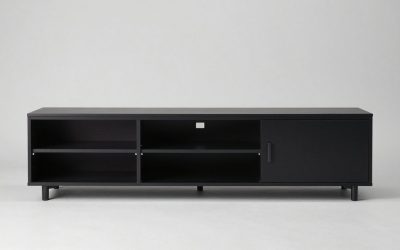
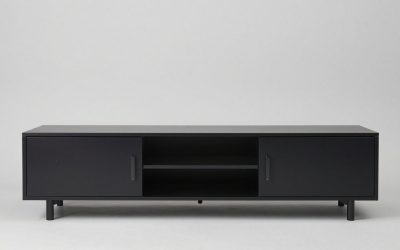
For a wall-mounted television over a floating console, start by checking the gap between the TV’s bottom edge and the cabinet top. Samsung suggests about 4 to 6 inches above furniture when its usual eye-level placement will not fit, but that is a starting point, not a universal requirement. The answer to how far can tv be from floating tv console depends on your seated view and equipment.
As an Amazon Associate we earn from qualifying purchases.
By KK Home Furnishings Editorial Team
TV-to-Floating-Console Distance: What to Measure
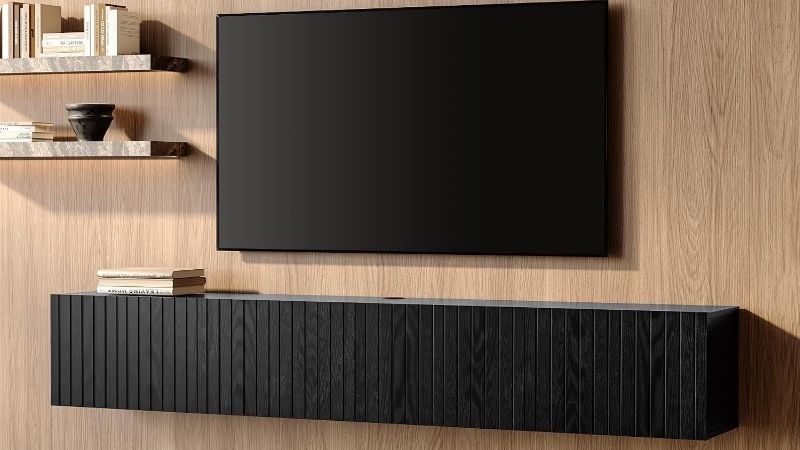
Measure the vertical opening from the TV’s actual bottom bezel to the cabinet’s finished top, not from the bracket or the lower mounting holes. Samsung US describes roughly 4 to 6 inches above furniture as a fallback when an eye-level screen center leaves too little room, while Sony favors a screen center near seated eye level. Those are different tests, and both matter [Samsung, 2026; Sony, 2025].
Start With Your Seated Eye Line
Sit where you watch most often and mark your natural eye height on the opposite wall. Samsung gives 42 inches from the floor to the screen center as a rough example for a standard sofa, but also recommends measuring the actual viewer. A bar stool, deep recliner, or unusually high seat can change the comfortable position substantially [Samsung US, 2026].
Do not raise the television just to preserve a decorative band of blank wall above a tall cabinet. The TV-to-cabinet distance is a consequence of the screen position, cabinet top, and screen’s physical height. If the resulting gap is cramped, moving the cabinet lower or choosing a shorter one may be better than pushing the screen far above your seated line of sight.
Check the Screen Height and Mounting Hardware
A nominal 65-inch or 75-inch label describes the diagonal, not the television’s physical height. Use the model’s dimension drawing to locate the lower edge after the wall bracket is installed. Sony notes that the mounting holes can sit at different offsets from the top and bottom of the case, so measuring only the VESA pattern can misplace the display [Sony US, 2025].
Check the actual TV depth, cable exits, and the bracket’s position at its final tilt before drilling. If your mount pulls away or swivels, the housing may occupy a different area when moved. Make a paper outline of the actual screen and map both the lowest position and the console top. The purpose is to prevent expensive redrilling, not to create a generic minimum clearance.
Reserve Space for Sound and Power Connections
A clear opening must accommodate the devices you actually plan to use. For its Arc Ultra, Sonos specifies at least 4 inches between the top of the soundbar and the bottom of the TV when the bar is beneath the screen [Sonos, Arc Ultra guide, accessed Oct 2026]. That model-specific requirement is not the same as a 4-inch gap between the console and TV.
A soundbar standing on the cabinet takes up part of the gap before the required clearance starts. Other bars, TV sensors, and rear-facing plugs can need different arrangements, so check their manuals rather than reusing the Arc Ultra dimension. The cable bend and access space also matter: an attractive gap is not useful if every HDMI connection requires removing the television.
| Situation | Useful reference | What to verify | Reason to adjust |
|---|---|---|---|
| Ordinary sofa and no soundbar | TV center around seated eye level; 42 inches is only Samsung’s example | Actual eye height and TV’s full outside height | Screen feels uncomfortably high or overlaps the cabinet |
| TV above a standard-height cabinet | About 4 to 6 inches over furniture is Samsung’s fallback guidance | Gap between finished cabinet top and bottom bezel | Viewer position or accessory requirements call for a change |
| Sonos Arc Ultra below the display | At least 4 inches from the top of Arc Ultra to bottom of TV | Soundbar height and placement per Sonos guide | The cabinet-to-TV gap alone cannot accommodate the bar |
| Other soundbar or speaker | No transferable universal clearance | Exact model’s placement and ventilation instructions | TV, speaker, or remote sensor is obstructed |
| Tilting or extending TV bracket | Movement is governed by actual hardware geometry | Lowest screen position and full motion sweep | The display could touch a cabinet or object |
| Equipment and power wiring | Access depends on ports and approved cord pathway | Plug clearance, service access, and cable routing | Cords pinch or cannot be reached after mounting |
| Wall-hung cabinet beneath TV | Cabinet mounting approval is product-specific | Furniture manual and attachment system | Mount location cannot safely support intended furniture |
Adjust for Your Situation
Use these real-room scenarios after finding your seated eye line and the screen’s physical bottom edge. Choose the gap that leaves enough usable space without pushing the image uncomfortably high. The wall-mount and cabinet must be suitable for their separate loads; this guide deals with their relative positions, not replacing either manufacturer’s installation instructions.
1. You Have a Low Floating Console and a Typical Sofa
A relatively low cabinet gives you room to position the screen for the viewer instead of forcing the television upward to fit above furniture. Start with the seat, not a preset cabinet-to-TV gap. Samsung’s 4-to-6-inch furniture suggestion can help as an initial check when the TV is otherwise too close to the top, but it does not determine the final screen height.
Mark the proposed cabinet top and the television’s lower edge with painter’s tape. Sit down to judge the full frame, not just the empty strip between them, then confirm cables and any soundbar still fit. If the opening looks generous because the console hangs low, do not raise the screen merely to make the two pieces appear closer together. Comfort takes priority over symmetry.
2. A Large TV Leaves Little Room Above Your Console
A taller screen occupies more vertical space around the same screen-center height, so the lower edge may approach the cabinet top. This is common when replacing a smaller set with a larger one while keeping the cabinet fixed. The cabinet-to-screen measurement can therefore shrink even when the center of the new picture remains at a comfortable height. It is not automatically a mounting error.
Check the new television’s published cabinet-free height and bracket offset rather than carrying over the old bracket marks. If necessary, lower the cabinet or use a shallower media unit instead of mounting the screen too high. Avoid changing the screen position until its wall-mount hardware, display dimensions, and required installation clearances are all known for that exact model.
3. You Are Putting a Soundbar on the Cabinet
The soundbar can become the controlling dimension rather than the decorative space you imagined. A Sonos Arc Ultra sitting directly beneath the display requires at least 4 inches from the bar’s upper surface to the TV’s lower edge, according to the Arc Ultra guide. That minimum is specific to the soundbar itself, so the overall cabinet-to-TV opening needs enough room for the unit too.
Check where the soundbar sits, whether the cabinet has a lip, and whether a sensor or control on the soundbar must remain uncovered. If the cabinet top is narrow, the speaker may need an approved wall mount or a different placement. Do not solve a crowded opening by tilting the soundbar sideways, enclosing it in a cupboard, or disregarding the device’s placement guidance.
4. Game Consoles and Streaming Boxes Need Usable Space
If a streaming player, router, or game console sits on the cabinet, the distance to the TV may affect access more than picture quality. A device that has a top exhaust or tall charging dock needs a placement that follows its own ventilation instructions. A television hanging close to the console may also leave a hand too little room to reach the power, input, or device controls.
List the equipment before you settle the gap, including cables that curve up into TV ports and power bricks that cannot be hidden inside a shallow cabinet. You may find that the right answer is relocating electronics inside ventilated storage rather than lifting the TV. Keep the cabinet front and any doors functional, and never assume one device’s cooling rule applies to another.
5. Your TV Mount Tilts, Swivels, or Pulls Forward
An articulated mount changes the screen’s position after installation. A screen that clears the cabinet when flat against the wall may pass closer to its top when tilted or extended. Check the mount’s full allowed travel and the TV body’s actual shape before selecting a finished gap. This problem is about collision during movement, not about whether the cabinet is wider than the screen.
Use a full-size cardboard silhouette when possible, and follow the mount maker’s measurement drawing and installation steps. Confirm that plugs do not get squeezed during movement. Sony’s mounting guidance advises compatible brackets and qualified installation for safety [Sony USA, TV wall mount FAQ, 2025]. If movement cannot be demonstrated without contact, change the layout before drilling.
6. Your Floating Console Is Mounted Higher Than Expected
A cabinet installed high on the wall can consume the vertical room below the screen and tempt you to move the TV upward. Instead, check whether the cabinet itself belongs lower. Wall-hung storage is usually selected for easy cleaning and a light visual profile; it does not have to dictate the television’s viewing position. The higher the cabinet, the less flexible your layout becomes.
Not every TV bench can be suspended using the same fittings. IKEA’s U.S. BESTÅ TV-unit listing instructs owners not to use the BESTÅ suspension rail for that TV-unit configuration, even though the separate BESTÅ frame rail is marketed for other frames [IKEA US, product 705.660.33, accessed Oct 2026]. Follow the exact cabinet’s assembly documents when relocating it.
7. You Want Clean Cable Routing on a Rented or Finished Wall
The narrow vertical strip between the screen and the cabinet often becomes the visible cable route. If power is above the console while HDMI connections drop below, lowering or raising the screen only to hide a wire may create a worse viewing angle. It can be simpler to run a suitable surface raceway or use a manufacturer-approved wall-cable solution without altering the image height.
Samsung advises considering in-wall-rated cables and an appropriate cable kit where routing through a wall is intended [Samsung US, 2026]. That does not mean an ordinary TV power cord can be hidden freely inside the wall. Plan outlets and connections using applicable electrical requirements and a qualified installer when needed. For renters, verify what modifications your lease permits before cutting into the wall.
Frequently Asked Questions
A few nearby decisions can affect the wall layout, but they are not all measurements of the same gap. The following answers separate screen visibility, installation planning, and furniture placement from the vertical clearance itself, so you can finish the media wall without inventing another universal number.
Does the Console Have to Be Directly Beneath the TV?
No. The console can be offset when a doorway, side shelving, or the room’s seating makes an asymmetrical arrangement more practical. What matters for viewing is the TV’s position relative to the seats, while the cabinet needs to hold or conceal equipment without blocking movement. A shared center line is a design choice rather than a structural rule.
Before choosing an offset layout, check whether cords can reach without exposed diagonal stretches across the wall. If a long soundbar or separate speakers are present, their placement may suggest a different furniture alignment. Tape the proposed cabinet shape onto the wall and inspect from the main seat and the doorway. Do not confuse alignment with how each item is mounted.
Does Seating Distance Change the Gap Above the Cabinet?
Indirectly. Seating distance influences the screen size and the viewing position you may prefer, but it does not create a required cabinet-to-TV distance. Sony says comfortable viewing distance varies with screen resolution, screen size, and the viewing environment, and its distance guidance is a reference rather than a rule for all viewers [Sony USA, 2025].
A closer couch may make a very high screen feel more awkward, while a different seat position may change the comfortable eye line. Evaluate the final TV position from where people actually sit. Do not copy a screen-center number from another home simply because both rooms have floating consoles. Personal comfort and the exact TV model are better checks than a styling photo.
Can Lighting or Decorative Objects Go in the Gap?
Sometimes, but the objects should not obstruct the picture, screen sensors, or required device clearances. A thin decorative element can make a large gap look intentional, while an oversized lamp or tall arrangement may introduce glare or block the TV’s lower edge. Keep the arrangement easy to clean and avoid touching the display with decorations or cabling.
If you want accent lighting, choose an installation intended for that location and route its power safely. Avoid placing heat-producing fixtures against the TV or storing loose cords behind hot electronics. The TV and light manufacturers, not a general media-wall proportion, determine whether any particular placement needs a gap or shielding. A clean, empty opening is often simpler.
Does a Fireplace Console Require a Different Distance?
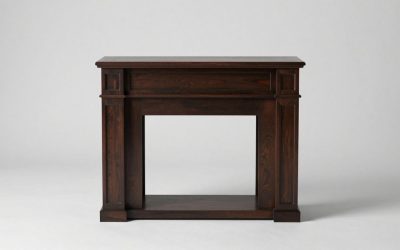
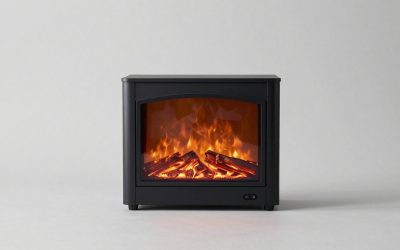
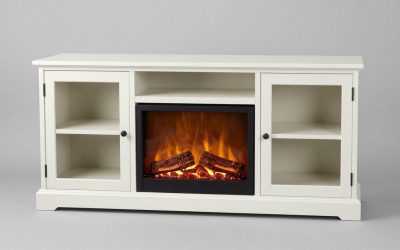
Yes, potentially. An electric fireplace console may introduce separate restrictions for heat discharge, combustible objects, and any television installed above it. The permitted layout depends on the exact insert and its installation manual, so a gap that works above ordinary storage cannot automatically be transferred to a heated unit. Do not infer fire safety from decorative spacing alone.
Identify the fireplace model and read its installation guide for heat-outlet direction and required clearances. If that model does not state whether a TV can be positioned above the unit, seek guidance from its maker or a qualified installer before committing to holes in the wall. Treat any television viewing-height adjustment as secondary to the appliance’s required installation conditions.
Final Thoughts
The practical answer to how far can tv be from floating tv console is to begin with the TV at a comfortable seated height, then check the opening above the cabinet. Samsung’s 4-to-6-inch furniture reference may help initially, but accessories and exact mounting manuals can require more space. Measure the real screen edge and cabinet top before you drill.