Key takeaways
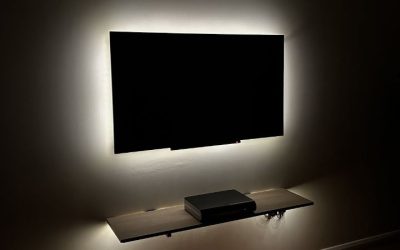
- Stepless vs stepped. Stepped dimming gives you three or five fixed levels. Stepless gives you a dial or app slider. For matching a light to changing daylight through a window, stepless wins.
- Flicker behavior at low output. Cheap drivers use pulse-width modulation at a low frequency, which shows as banding on some cameras and as a headache-inducing shimmer to sensitive eyes. If you dim heavily, look for a light described as flicker-free or high-frequency, and test it at 5% brightness rather than 100%.
The short answer
The best ring light for most home offices in 2026 is a 10- to 12-inch bi-color LED ring that spans roughly 2700 K to 6500 K, dims down to about 1–5% without visible flicker, and mounts on a desk clamp or monitor arm instead of a floor tripod. That combination fits a standard 24-inch-deep desk, avoids dropping a 24- to 32-inch tripod footprint into a small room, and still gives you a soft, even catchlight when the ring sits 18–30 inches from your face. If you only shoot occasionally, a compact USB-C light on the monitor is enough; if you record video for a living, step up to a 17- to 18-inch ring with app control and a proper ballast.
Everything below is organized around the six things that actually decide whether a ring light works in a home or office: brightness at your face (not on the box), color temperature range and accuracy, diameter relative to your working distance, how far down it dims, what holds it up, and what your phone or camera bolts onto.
Quick picks at a glance
| Pick | Ring size | Color temp | Dimming | Mount | Power | Typical price | Best for |
|---|---|---|---|---|---|---|---|
| All-round desk ring | 10 in | 2700–6500 K | 1–100% | Desk clamp + ball head | USB-C PD or 12 V AC | $40–$90 | Video calls and light streaming |
| Compact monitor light | 3–5 in bar or mini ring | 2700–6500 K | 5–100% | Monitor-top mount | USB-C bus power | $60–$130 | Laptop-only desks, zero footprint |
| Streamer ring | 16–17 in | 2900–7000 K | 1–100% | Included desk stand, app control | 12 V AC | $150–$250 | Webcam + key light for talking heads |
| Studio ring | 18 in | 3200–5600 K or bi-color | 1–100% | Floor stand or boom | AC with separate driver | $180–$400 | Beauty, makeup, product macro |
| Budget starter | 10 in | 3200–5600 K, 3-step or stepless | 10–100% | Short tripod included | USB-A 5 V | $20–$45 | First light, occasional calls |
| Battery portable | 6–8 in | 2700–6500 K | 5–100% | 1/4″-20 thread, magnetic back | Built-in battery | $60–$140 | Travel, pop-up shoots, no outlets |
| RGB creative ring | 12–14 in | 2500–8500 K plus RGB | 1–100% | Clamp or tripod | USB-C PD | $70–$180 | Colored backgrounds and accent looks |
| Two-person desk ring | 18 in | Bi-color | 1–100% | Overhead boom or tall stand | AC | $150–$300 | Shared desks, interviews, side-by-side |
What the specs actually mean when you’re sitting at a desk
Ring light listings lean on three numbers that don’t mean what buyers think they mean: lumen counts, “adjustable brightness,” and diameter. Here’s how to translate each one into something you can picture at your own desk.
Brightness: lumens are marketing, lux at your face is reality
Lumens describe total light output in every direction. What matters for a webcam is illuminance — lux — measured at the point you actually sit. Because light falls off with the square of distance, a ring rated “1000 lux at 0.5 m” delivers roughly a quarter of that at 1 m and about a ninth at 1.5 m. A ring rated at 2,500 lumens and a ring rated at 800 lumens can look identical on camera if the first one is 2 feet farther away.
As a working rule, a webcam that auto-exposes well wants somewhere between 250 and 600 lux on the face. Below about 150 lux, most webcams start lifting ISO, and you get the familiar soft, smeary, slightly noisy look that makes a call feel amateur. Above roughly 1,200 lux at short range, you’ll squint and the highlights on your forehead clip.
| Distance from face | Illuminance from a light rated 1000 lux at 0.5 m | How it reads on a webcam |
|---|---|---|
| 0.5 m (20 in) | ~1000 lux | Too hot; clipped highlights, squinting |
| 0.75 m (30 in) | ~445 lux | Bright and crisp; best with a diffuser |
| 1.0 m (39 in) | ~250 lux | Comfortable sweet spot for calls |
| 1.25 m (49 in) | ~160 lux | Usable; camera starts lifting ISO |
| 1.5 m (59 in) | ~111 lux | Soft; fine only with a second light or window |
| 2.0 m (79 in) | ~62 lux | Too dim alone; needs a fill source |
The practical takeaway: a modest light placed close beats a powerful light placed far. If your desk is shallow and the ring has to sit behind the monitor, buy brightness; if the ring can sit just off to the side of your keyboard, you can save money.
Color temperature and the two-number trap
Color temperature is measured in kelvin. Roughly 2700–3000 K is warm, incandescent-looking light; 4000–4500 K is neutral; 5600–6500 K is daylight and slightly cool. For video calls, 4500–5500 K tends to flatter most skin tones and blends best with the cool white of monitor glow. For evening streams where you want a cozy room feel, 3200–3800 K sits well with warm lamps behind you.
The trap is that “2700–6500 K” on a box tells you the range, not the accuracy. Two lights can both claim the same range while one renders skin greenish at 4000 K and the other renders it neutral. If the listing quotes CRI or TLCI, treat 90+ as good, 95+ as excellent, and anything unstated as a coin flip. Bi-color rings that mix warm and cool LEDs are usually less accurate at the extremes of their range than in the middle, so plan to shoot around 4500–5000 K where the mix is most even.
CRI, TLCI and why skin sometimes looks grey
CRI rates how faithfully a light renders a standard set of colors; TLCI does the same job for television cameras. Neither number captures everything — a light can score 95 CRI and still render a specific skin tone oddly — but a low score, say 80, reliably makes people look waxy or washed out. Ring lights sold primarily as phone accessories often omit both numbers, which is the single biggest quality signal you won’t get. If skin rendering matters to you, favor lights that publish a CRI value and let you set color temperature in small increments rather than in three fixed steps.
Dimming range: the spec almost nobody publishes
Almost every ring light says “dimmable.” What matters is the bottom of the range. A light that dims from 100% to 10% is effectively useless for a dark room at night — 10% of a bright ring is still harsh. A light that reaches 1–5% lets you keep the ring on as ambient fill in the evening without blowing out your face.
Two related details worth checking:
- Stepless vs stepped. Stepped dimming gives you three or five fixed levels. Stepless gives you a dial or app slider. For matching a light to changing daylight through a window, stepless wins.
- Flicker behavior at low output. Cheap drivers use pulse-width modulation at a low frequency, which shows as banding on some cameras and as a headache-inducing shimmer to sensitive eyes. If you dim heavily, look for a light described as flicker-free or high-frequency, and test it at 5% brightness rather than 100%.
Diameter, distance and the catchlight
Ring diameter determines two things: how far away the light needs to be for even coverage, and what shape the reflection in your eyes takes. A ring that’s too close relative to its size wraps light around the sides of your face and creates hot spots on the forehead and nose. A ring that’s too far stops producing the characteristic ring catchlight entirely and just becomes a dim disc.
| Ring outer diameter | Comfortable face distance | Catchlight look | Fits a 24-inch-deep desk? |
|---|---|---|---|
| 6 in (15 cm) | 12–18 in | Small, distinct, obvious ring | Yes, even clamped to a monitor |
| 10 in (25 cm) | 18–30 in | Classic ring, still readable | Yes, with a clamp or short stand |
| 12 in (30 cm) | 24–36 in | Softer ring, more even fill | Yes with a clamp; tight with a tripod |
| 14 in (36 cm) | 30–42 in | Subtle ring, broad coverage | Only with a clamp or boom |
| 18 in (46 cm) | 36–60 in | Ring nearly invisible; even wash | No — needs a floor stand or boom |
| 19 in+ (48 cm+) | 48–72 in | Pure even fill, no ring artifact | No — studio footprint |
If you sit about 2 feet from your screen and want the ring mounted behind the monitor, a 10-inch ring is the practical ceiling — an 18-inch ring behind a 24-inch monitor at that distance is visible in frame and will throw light past your shoulders into the room. If you want the light off to one side of your keyboard instead, a 12-inch ring at 30 inches is comfortable and gives a broader, more forgiving wash.
One more sizing consideration: ring lights are usually measured by outer diameter, and the illuminated band is narrower than that. A “10-inch” ring typically has a lit ring of roughly 7–8 inches across. If the listing only gives the box dimensions, assume the glowing portion is about 70–80% of the stated size.
Stands, clamps and the furniture question
This is where ring lights stop being a lighting decision and become a furniture decision. The light itself is light; the mount is what determines whether it works in your room.
| Mount type | Fits desk thickness | Clearance needed behind desk edge | Floor footprint | Typical load rating | Renter-friendly? |
|---|---|---|---|---|---|
| C-clamp on desk edge | 0.4–2.0 in | 2–4 in | None | 2–5 lb | Yes — no holes, no marks if padded |
| Monitor-top light | n/a | 0.5–1.5 in | None | 1–2 lb | Yes |
| Short tabletop tripod | n/a | 12–18 in | 8–14 in diameter | 2–4 lb | Yes, but steals desk space |
| Full-height tripod | n/a | 24–36 in | 24–32 in diameter | 4–11 lb | Yes, but needs floor area |
| Boom arm on clamp | 0.4–2.0 in | 0–2 in | None | 5–10 lb | Yes — best for overhead work |
| Floor stand (wheeled) | n/a | 20–30 in | 26–34 in diameter | 6–12 lb | Bulky in small rooms |
Tripod footprints in small rooms
A full-height light tripod typically spreads 24–32 inches across at the feet and needs to stand 20–36 inches behind your chair to avoid being in frame. In a 10×12 ft room — 120 square feet — that’s roughly 2.5 square feet of floor permanently occupied by a stand you’ll trip over. If your desk faces a wall and you sit with your back to the room, a tripod is fine. If your desk faces into the room, you’ll be looking at the stand all day, and it will appear in the corner of every wide-angle webcam shot.
Desk clamps: thickness, clearance and what they mark
A clamp is the single best upgrade for small-space setups, but three numbers decide whether it fits. First, the jaw opening: most clamps handle tops from about 0.4 in to 2.0 in thick, which covers typical 0.75-inch laminate and 1.5-inch butcher block, but not a 2.5-inch live-edge slab. Second, rear clearance: the clamp body needs 2–4 inches of space behind your desk edge, so measure the gap between your desk and the wall. Third, and most overlooked, the clamp’s rubber pad — cheap ones leave compression marks on soft pine and veneer, and metal jaws can chip a painted edge if you overtighten. A felt or rubber-lined jaw and a hand-tightened screw rather than a lever are worth paying for.
Clamps also concentrate load on one point. A 3 lb ring head on an 18-inch arm puts meaningful torque on the clamp; if your desk has a thin hollow-core top, spread the load with a small block of wood under the jaw.
Monitor-mounted and shelf-mounted options
For pure video-call use, a compact light that sits on top of the monitor is hard to beat: no desk space, no floor space, and the light ends up near eye level where it belongs. The constraint is weight — most monitor tops comfortably hold 1–2 lb, and the mount needs 0.5–1.5 inches of clearance behind the panel for its foot. If you already use a monitor riser or a shelf above the desk, you can also clamp a small ring to the shelf edge, which lifts it to near-eye level without any footprint at all.
Mounting a phone or camera
Nearly every ring light includes a phone holder, and the differences between them matter more than the light itself if you shoot on a phone.
- Thread standard. Almost everything uses a 1/4″-20 thread, the same as a camera tripod. If a light uses a proprietary clip instead, you’re locked out of using your own tripod, ball head, or magic arm.
- Holder width. Most spring-loaded phone holders grip devices from about 2.2 in to 3.7 in wide. A phone in a thick case can exceed that; a small tablet usually won’t fit at all.
- Center hole vs offset bracket. A ring with a hollow center lets the phone shoot straight through the middle, which is what produces the on-axis ring look. An offset bracket that clips the phone to the edge of the ring works, but the light no longer comes from the lens axis, so shadows shift to one side.
- Ball head friction. The included ball heads on budget rings often slip under a phone’s weight when tilted. If you shoot vertical video, budget for a better ball head — usually $15–$35.
- Camera brackets. For a mirrorless or DSLR, you need a bracket that holds the body behind the ring’s center hole. These are usually sold separately and typically run $20–$50.
Power: USB-A, USB-C PD, AC and batteries
Power delivery quietly separates the good rings from the frustrating ones. A ring running on a plain 5 V / 2 A USB-A port has about 10 watts to work with, which is fine for a 10-inch ring at moderate brightness and useless for an 18-inch ring. USB-C Power Delivery at 18–30 W covers most mid-size rings, and larger rings generally ship with a 12 V or 24 V AC adapter and a separate inline driver.
| Power source | Typical available power | What it realistically drives |
|---|---|---|
| USB-A 5 V / 2 A | ~10 W | 6–10 in rings at partial brightness |
| USB-C PD 18–30 W | 18–30 W | 10–14 in rings at full brightness |
| 12 V / 2 A AC adapter | ~24 W | Most 16–18 in rings |
| 24 V / 3 A AC adapter | ~72 W | 19 in+ studio rings and multi-light kits |
| Built-in battery, 5000 mAh | ~18 Wh | 2–3 h at full on a small ring, 6–8 h at 30% |
Two practical notes. First, a USB ring plugged into a laptop’s own port may dim or flicker when the laptop is on battery, because the port negotiates down. Use a wall adapter. Second, cable strain relief is where cheap rings fail first — a thin cable yanked sideways out of a molded plug at the ring’s base is the most common failure point on budget units. Route the cable with a small clip or a hook-and-loop tie so the connector never takes the load.
The picks, by situation
Best overall for a home office desk: 10-inch bi-color ring with a desk clamp
If you take calls all day and want one light that disappears into your setup, a 10-inch bi-color ring on a padded desk clamp is the sweet spot. At 18–30 inches it gives even fill without hot spots, the 2700–6500 K range covers both daylight-matched calls and warm evening recording, and the clamp leaves your desk surface completely free. Look for stepless dimming down to about 5%, a 1/4″-20 thread on the back so you can swap in your own ball head, and USB-C PD input rather than a fixed USB-A cable.
- Target specs: 10 in ring, 2700–6500 K, CRI 90+, stepless dimming, USB-C PD, 1/4″-20 thread.
- Watch for: clamps rated under 2 lb that sag when you tilt the head downward.
- Typical price: $40–$90.
Skip this if your desk is a glass top — most C-clamps need a solid edge, and glass edges are both slippery and chippable. In that case, use a monitor-top light instead.
Best for laptop-only desks: a compact monitor-mounted light
Logitech’s Litra Glow is the reference point in this category: a small USB-C light that clips to the top of a monitor or laptop screen and adjusts from warm to daylight. Because it mounts to the display, it adds zero desk and floor footprint, which is the whole point for people working from a kitchen table, a dorm desk, or a 10×12 ft room that’s already full. The trade-off is output — a compact light like this is designed for arm’s-length work, not for lighting a room.
- Target specs: 250–400 lumens, 2700–6500 K, monitor-top mount, USB-C power, CRI 90+.
- Watch for: monitor-top feet that need more than 1.5 in of clearance behind a thin panel.
- Typical price: $60–$130.
This is the right answer if you want better calls without changing how your desk looks. It’s the wrong answer if you also record longer videos where you want a distinct, brighter key.
Best for streamers: a 16- to 17-inch ring with app control
Elgato’s Ring Light is the benchmark here — a large desktop ring with a wide white-balance range, high output, and control through desktop software rather than a dial on the cable. The size is the point: at 16–17 inches you can sit 3–4 feet back and still get even coverage, which suits a webcam framing that shows shoulders and some background. Software control also means you can match brightness to time of day without touching the hardware.
- Target specs: 16–17 in, 2900–7000 K, 1–100% dimming, included desk stand or clamp, AC power, app or desktop control.
- Watch for: stand height — a ring this size needs the center of the ring at roughly eye level, which means the stand has to reach 20–24 in above the desk.
- Typical price: $150–$250.
Best budget starter: a 10-inch USB ring with a short tripod
The Neewer and UBeesize class of 10-inch USB rings remains the cheapest way to get a real improvement in call quality. These usually offer a three-step or stepless bi-color range, a flimsy but functional mini tripod, and a phone holder. At 20–24 inches they genuinely help a webcam, and they’re light enough to move between rooms or pack in a bag.
- Target specs: 10 in, 3200–5600 K minimum, 10–100% dimming, 1/4″-20 thread, USB-A or USB-C.
- Watch for: tripods with plastic tilt joints that creep under the weight of the ring, and dimming that bottoms out at 10–20%.
- Typical price: $20–$45.
Best for beauty and makeup work: an 18-inch studio ring
Beauty work wants a big, close, even source with accurate color. An 18-inch ring at 3–4 feet does this well: the catchlight becomes a soft arc rather than a hard ring, and the wrap of light around the face minimizes texture you’d otherwise have to retouch. Look for published CRI or TLCI values, a color range centered on 3200–5600 K, and a proper AC driver rather than a USB dongle. A separate floor stand or a boom arm is essential — an 18-inch ring head weighs 3–6 lb and will overwhelm a small tripod.
- Target specs: 18 in, bi-color or daylight, CRI 95+, flicker-free dimming to 1%, AC power, standard 1/4″-20 or 3/8″ mount.
- Typical price: $180–$400 with stand.
Best for travel and pop-up shoots: a battery ring in the 6–8 inch class
Lume Cube’s small lights are the clearest example of this category: compact, battery-powered, magnetic or threaded, and designed to be thrown in a bag. A 6–8 inch ring won’t light a room, but at 12–18 inches from a face it does exactly what a ring light is supposed to do, and it doesn’t need an outlet. Check runtime honestly — a 5,000 mAh battery driving a small ring gives roughly 2–3 hours at full and 6–8 hours at a third brightness.
- Target specs: 6–8 in, 2700–6500 K, 5–100% dimming, USB-C charging, 1/4″-20 thread plus a magnet.
- Typical price: $60–$140.
Best for creative looks: a 12- to 14-inch RGB ring
RGB rings add colored output on top of white, which is genuinely useful if you want a colored wash on the wall behind you or an accent that matches a brand palette. The catch is that RGB LEDs are usually dimmer and less color-accurate in white mode than dedicated bi-color rings, so treat RGB as a bonus rather than the reason to buy. Look for a white range that covers 2500–8500 K and separate saturation control, and check that the white output is rated independently of the color modes.
- Target specs: 12–14 in, bi-color white plus RGB, 1–100% dimming, USB-C PD, clamp or tripod mount.
- Typical price: $70–$180.
Best for overhead and product work: a ring on a boom arm
For photographing small products, documents, or hands-on demonstrations, a ring light on a clamp-mounted boom arm beats any tripod. The arm reaches 20–30 inches over the desk, the light points straight down, and the whole thing costs no floor space. This is the configuration to choose if you sell crafts, film tutorials, or shoot flat-lay photos. Use a 12-inch ring with a diffusion sock for softer shadows, and make sure the clamp is rated for at least twice the weight of the ring plus arm.
- Target specs: 12 in, bi-color, 1–100% dimming, boom arm with a 5–10 lb clamp rating.
- Typical price: $90–$200 for the light plus $40–$120 for a decent arm.
Best for shared desks and interviews: an 18-inch ring on a tall stand
If two people sit side by side on a call, or you record interviews, you need a broad source far enough back to cover both faces evenly. An 18-inch ring at 4–5 feet does that; a 10-inch ring at 2 feet does not, no matter how bright it is. Place it slightly above eye level and centered between the two people, and expect to run it at 60–80% rather than full.
- Target specs: 18 in, bi-color, AC power, tall stand reaching 60–70 in, 1–100% dimming.
- Typical price: $150–$300.
Best for renters and small apartments: clamp-only setups
If you can’t put holes in walls and don’t want furniture rearranged, the entire goal is a light that touches nothing but your existing desk. A 10-inch ring on a padded clamp, or a monitor-top light, achieves this. The one thing to check is rear clearance: measure the gap from your desk’s back edge to the wall before ordering. If it’s under 2 inches, choose a monitor-top light or a clamp with a low-profile jaw rather than a full-size C-clamp.
Best for photographers doing macro and portraits: an 18-inch ring with a camera bracket
Macro and portrait shooters use rings for the distinctive on-axis shadowless look. That requires a bracket that holds the camera behind the ring’s center hole, not a phone clip on the edge. Budget for the bracket separately — usually $20–$50 — and check that the ring’s thread is a standard 1/4″-20 so you can mount your own head. Continuous ring lights in this class typically run $150–$350 for the light alone, and if you need real power for daylight-balanced work, expect the $300–$600 range for professional units with separate ballasts.
Best quiet option for shared offices: a small ring on low output
Ring lights don’t make noise — but cheap drivers can emit a faint high-frequency whine, and some produce visible flicker that bothers people sharing a room. If you work in a shared space, favor a small ring run at 20–40% rather than a large one at full, and test for whine and flicker at low output before you commit. High-CRI, flicker-free units tend to be quieter electrically as well.
Best for standing desks: a clamp with a tall, locking arm
Standing desks change the geometry twice a day. A light mounted on a short tripod behind the desk will be at the wrong height when you stand. The fix is a clamp with an arm long enough to reach 55–65 inches from the floor when extended, or a monitor-top light that rises with the monitor. Check the arm’s locking mechanism — friction joints that hold at seated height often sag when you raise the desk and the cable pulls on the head.
Best for dual-monitor setups: an off-axis ring rather than a centered one
With two monitors, a centered ring behind the displays ends up either blocked or visible. Better to place the ring off to one side at 30–40 degrees and about 30 inches away, then add a dim fill on the other side if you see a shadow. This is also the setup that looks most natural on camera — flat, centered light tends to flatten faces, while a slightly off-axis key with soft fill looks like a well-lit room.
Head-to-head: the four most common setups compared
| Attribute | 10 in ring on desk clamp | Compact monitor-top light | 17 in streamer ring on stand | 18 in studio ring on floor stand |
|---|---|---|---|---|
| Desk space used | None | None | None (stand sits behind) | None, but floor is occupied |
| Floor footprint | None | None | 24–30 in diameter | 26–34 in diameter |
| Comfortable face distance | 18–30 in | 15–24 in | 30–48 in | 36–60 in |
| Best use | All-day calls | Laptop work, tiny desks | Streaming, talking heads | Beauty, product, interviews |
| Typical output | Moderate | Low | High | High, with AC driver |
| Setup time | 5 min | 1 min | 15 min | 20–30 min |
| Price range | $40–$90 | $60–$130 | $150–$250 | $180–$400 |
| Best room size | Any, including small | Any | Needs 3 ft behind the chair | Needs 5 ft and floor space |
Decision matrix: match the light to your situation
| Your situation | What to prioritize | Target spec | Light type to buy |
|---|---|---|---|
| Small apartment, desk against a wall | Zero footprint, low rear clearance | 6–10 in, USB-C, clamp or monitor mount | Monitor-top light or small clamped ring |
| 10×12 ft shared home office | Compact, quiet, easy to move | 10 in, 1–100% dimming, 2–5 lb clamp | 10 in ring on padded desk clamp |
| Calls only, no recording | Speed of setup and natural look | 250–400 lumens, 2700–6500 K | Compact USB-C monitor light |
| Streaming 3+ hours a week | Output, color accuracy, app control | 16–17 in, 2900–7000 K, AC power | Large desktop ring on included stand |
| Beauty or makeup content | Even coverage and true skin tones | 18 in, CRI 95+, flicker-free to 1% | Studio ring with floor stand |
| Product photos and tutorials | Overhead reach, no floor space | 12 in, bi-color, 5–10 lb boom clamp | Ring on a clamp-mounted boom arm |
| Renting, can’t alter the room | No holes, no marks, removable | Padded clamp jaw, 0.4–2.0 in thickness | Clamp-mounted ring or monitor light |
| Standing desk | Height that tracks the desk | Arm reaching 55–65 in, locking joints | Monitor light or tall clamped arm |
| Travel and on-location shoots | Battery runtime and packability | 6–8 in, 5000 mAh+, USB-C charging | Battery ring light |
| Two people at one desk | Broad even coverage | 18 in at 4–5 ft, bi-color | Large ring on tall stand |
Setting it up: the steps that actually change how you look on camera
- Step 1 — Put the light at eye level, not above it. A ring centered above your eyes throws shadows under the brow and nose. Raise it just enough that the center of the ring aligns with your eyeline, then stop.
- Step 2 — Set distance by ring size. Use the diameter table: 10 inches wants 18–30 inches, 12 inches wants 24–36, 18 inches wants 36–60. Closer than the minimum creates forehead hot spots.
- Step 3 — Match color temperature to the room. If daylight comes through a window behind you, set the ring to 5000–5600 K so the two sources agree. If your room is lit by warm lamps, 3800–4500 K blends better.
- Step 4 — Dim to the minimum that looks clean. Start at 100%, then reduce until your webcam stops clipping highlights — usually 40–70% in a lit room, 10–20% at night
Affiliate disclosure. As an Amazon Associate we earn from qualifying purchases at no extra cost to you. Prices accurate as of the date shown.