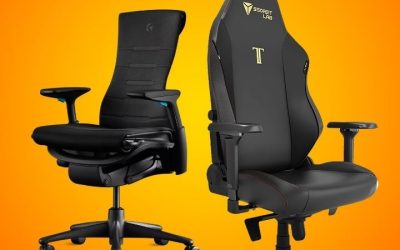
Key takeaways
- A properly fitted office chair is usually the better choice for typing at a conventional desk; a recliner is generally better for reading, watching a screen or taking a break away from a work surface. The office chair vs recliner…
A properly fitted office chair is usually the better choice for typing at a conventional desk; a recliner is generally better for reading, watching a screen or taking a break away from a work surface. The office chair vs recliner choice is mainly about where your hands, screen and feet need to be during the task, not which seat looks softer.
As an Amazon Associate we earn from qualifying purchases.
By KK Home Furnishings Editorial Team
Office Chair vs Recliner: What Actually Changes?
An office chair is typically designed to place a seated person close to a desk, with adjustments for working height and back support. A household recliner is usually built around supported lounging and a legrest. Some office chairs recline and some living-room recliners include deskside features, but those labels do not settle whether either seat fits your actual workstation.
| Decision Factor | Office Chair | Recliner | More Practical Starting Point |
|---|---|---|---|
| Keyboard and mouse reach | Usually moves close to a desk, with optional adjustable arms | Broad fixed arms and deeper seating may place the keyboard too far away | Office chair for sustained typing |
| Seat-to-desk alignment | Frequently offers height adjustment and swivel movement | Often has a relatively fixed seat height and position | Measure elbow height at the intended work surface |
| Back support | May have adjustable backrest and lumbar contact | May support the torso comfortably when leaning back, with fewer desk-fit controls | Test support in the actual working posture |
| Leg position | Feet normally rest on the floor or a separate footrest | Integrated legrest typically supports the legs when extended | Recliner for lounging with legs raised |
| Room clearance | Needs caster, swivel and desk-entry room | Needs operating space for back and extended legrest | Check the full moving footprint, not only closed dimensions |
| Mobility and task changes | Swivel and casters can assist access to nearby equipment | Often stays in one floor position, including during reclining | Office chair for multi-device workstations |
| Electrical features | Common manual adjustments; some specialist models are powered | Power reclining, USB or lifting mechanisms appear on some models | Check the precise manual and listed certification for powered units |
Desk Alignment Matters More Than the Amount of Padding
The key office-chair advantage is the ability to position your body in relation to the keyboard. OSHA advises placing input devices so the shoulders can relax, the elbows remain close to the torso, and the wrists stay aligned with the forearms [OSHA, accessed October 2026]. Thick cushions alone do not establish whether a seat can meet those conditions.
A recliner can feel supportive while you are leaning back yet become awkward when you try to type on a fixed desk in front of it. Broad arms, a deep seat and a raised legrest may keep you farther from the keyboard. For either seat, check the user’s elbow position, the desk edge, armrest interference and whether the screen stays comfortably in view.
Support While Working Is Not the Same as Support While Lounging
Office chairs and recliners can both support the back, but they often do so in different positions. OSHA’s workstation guidance favors a backrest that follows the user’s lower-back contour and can be adjusted for different postures [OSHA, accessed October 2026]. This is a fitting criterion, not proof that a particular chair prevents or treats pain.
A lounge recliner may let you lean back with the legs raised, which can suit reading or passive viewing. That does not automatically make it suitable for reaching forward repeatedly toward a laptop or mouse. Conversely, an office chair that tilts backward does not become a full living-room recliner; compare the seat’s intended use rather than the name of its motion.
Floor Space and Operating Space Are Separate Measurements
An office chair needs room to roll, swivel and move under the work surface, while a recliner may need space behind the backrest and in front of the extending legrest. A compact-looking recliner can therefore require more usable floor area in the open position. A wall-hugger designation may change the clearance needed, but does not eliminate checking the manual.
Measure the seat’s fully extended length, the path of the legrest, nearby cabinets, power cords and walking routes before ordering. For an office chair, measure the desk’s underside and armrest clearance instead. Neither category comes with a universal footprint, so use the dimensions of the exact model rather than a generic room-size rule.
Choose the Right Seat for Six Everyday Situations
Decide first what you will do in the seat most often. The same chair can feel excellent during a movie yet interfere with mouse work, while a highly adjustable task chair may be convenient at a desk but less inviting for a long reading session. These six situations separate the job each seat does well without turning the guide into a product ranking.
For Long Sessions of Typing, Spreadsheets and Mouse Work
Choose a desk-oriented office chair as the starting point. Look for an adjustment range that places your elbows near the keyboard, lets your feet rest firmly and gives your lower back useful contact with the backrest. Unlike a deep living-room recliner, a correctly sized office chair can usually approach a conventional work surface without its arms blocking access.
Try the complete setup before committing. Sit at your actual desk, position your keyboard and mouse, and check that the monitor faces you without repeated head turning. Mayo Clinic recommends considering the chair, desk and screen as one arrangement [Mayo Clinic, 2023]. If you cannot work without leaning far forward, a softer seat is not solving the fit problem.
For Reading, Streaming and Unhurried Video Calls
A recliner is often the more natural choice when the task does not require continuous keyboard input. An integrated legrest, a supportive back and a position facing the screen can make sitting back practical. For reading paper documents, check that you can hold the material at a comfortable viewing height instead of keeping your head tilted down toward your lap.
Video calls can work in either seat. If you mainly listen, a recliner may suit your room and habits; if you constantly type notes or share documents, an office chair by the desk may work better. Position the camera near your eye line and keep any table within easy reach. The task, not the chair’s marketing name, determines which arrangement is convenient.
For Working on a Laptop From a Living-Room Chair
A recliner can handle occasional laptop use, but resting the computer directly on your thighs is not equivalent to a desk workstation. The screen may sit low while the keyboard is attached to it, encouraging you to look down or bend your wrists. Mayo Clinic recommends separating laptop screen and input positions with a stand and external devices for regular desk use [Mayo Clinic, 2023].
If the living room is your temporary workspace, consider a stable, appropriately sized surface that does not obstruct the legrest or power controls. Keep a mouse and keyboard within comfortable reach; avoid trays that tip as the seat moves. When the activity changes from checking messages to sustained typing, moving to a fitted desk chair is generally the simpler solution.
For a Small Apartment With One Combined Work-and-TV Area
If one corner must function as an office, an adjustable task chair is the safer default for the desk portion of the day. It usually requires less forward leg clearance than a full lounge recliner, although the caster base and the space behind the desk still matter. If relaxation is the main activity and work is occasional, a compact recliner may be a reasonable room-first choice.
Measure both layouts on the floor before ordering: the office chair pulled away from the desk and the recliner fully open. Account for doors, heaters, the TV sightline and a walking route that remains usable. A product described as space saving can still fail in a room with a narrow aisle; only the exact operating dimensions and your room plan settle the fit.
For a Shared Home Office Used by Different People
Prefer an office chair with controls that several users can understand and reset. Seat height, usable depth and back support may need to change between people; OSHA notes that greater adjustability is particularly useful when a chair serves multiple users [OSHA, accessed October 2026]. A household recliner can be pleasant to share for breaks, but often has fewer ways to match individual desk positions.
Check the lowest and highest comfortable settings for everyone who uses the desk, and confirm each person falls within the manufacturer’s stated size and load limits. Shared recliners also deserve a trial for entering and leaving the seat; deep cushions and a moving footrest may affect that process. Avoid treating a weight limit as a promise of comfort or suitability.
For a Power Recliner in a Home With Children or Pets
A powered recliner brings a distinct question that a conventional manual task chair usually does not: can the moving chair be operated safely in that room? The operating instructions for certain La-Z-Boy power recliners direct users to check that children and pets are clear of the chair before it moves [La-Z-Boy, PowerReclineXR instructions]. This is model-specific guidance.
Before operating any powered model, follow its manual for cord routing, outlet use, child access and mechanical clearance. Some La-Z-Boy instructions specifically require a direct wall connection and prohibit extension cords or surge protectors; do not turn that model instruction into a rule for every recliner. Check the exact chair’s manual and keep the footrest path unobstructed.
Frequently Asked Questions
The labels office chair and recliner cover a wide range of designs. These answers address questions that are easy to miss when comparing furniture photographs, particularly hybrid chairs, electrical features and what manufacturer standards actually establish. Check any claim against the exact product listing and current manual.
Can a Reclining Office Chair Replace Both Seats?
Sometimes, but it depends on the tasks you expect it to handle. A task chair with a deep backrest recline or an optional leg support may serve someone who wants to read between work sessions without changing seats. It is not necessarily equivalent to a full-length lounge recliner, especially if you expect broad cushions, a long legrest and a fixed viewing position.
Do a two-position fit test: first place the chair against your normal desk with the keyboard in reach, then try your preferred reading or viewing posture. Make sure the seat remains stable and its adjustments suit both positions. For an occasional break, a multi-purpose chair can be enough; for sustained lounge use, a separate recliner may still be preferable.
Do Office Chairs and Power Recliners Have the Same Safety Standard?
No. ANSI/BIFMA X5.1 evaluates general-purpose office chairs, including specified types of executive, guest and other office seating; the manufacturer determines what standards apply to its product [BIFMA, overview accessed October 2026]. That scope should not be used as automatic proof of the safety of a household recliner or of a specific chair’s load capacity.
UL 962 addresses certain household and commercial furnishings, including motor-operated furniture, according to UL’s published scope [UL, 2017]. A standard’s existence is not proof that a particular model has been certified. For any powered recliner, request the model’s documentation and verify a claimed listing with the relevant certification body.
Does Every Recliner Need an Electrical Outlet?
No. Manual recliners generally use a lever, handle or body-operated mechanism and do not need household power simply to recline. Power recliners need their specified power source, and certain models also have electrical headrests, lift features or charging ports. A built-in USB port does not necessarily indicate that the chair’s reclining mechanism is motorized.
Before buying a powered version, identify the manufacturer-approved power adapter, cord path and any required wall clearance. Do not substitute a generic adapter or assume the outlet advice for one brand applies to all models. If your preferred spot has no suitable outlet, a manual model may be more practical than running a cable across a walkway.
How Can I Tell When Either Seat Is the Wrong Fit?
Look for repeated reaching toward the keyboard, shoulders that must stay raised, dangling feet, a backrest that does not contact you in your intended posture, or a legrest that blocks ordinary movement through the room. Those are setup and fit warnings rather than a diagnosis. An office chair can fail them just as easily as a recliner can.
Try changes to the workstation before blaming the seat alone: reposition the monitor, check desk height, reset the armrests and confirm stable foot support. OSHA advises changing posture and taking movement breaks even when a workstation is arranged well [OSHA, accessed October 2026]. Persistent pain or a diagnosed condition deserves advice from a qualified clinician.
Final Thoughts
For regular desk work, an office chair that fits your body and workstation is usually the stronger choice. A recliner is more convincing for reading, watching TV and relaxing with leg support. Compare the complete setup, not softness alone: keyboard reach, screen position, operating clearance and, for powered seats, the manufacturer’s safety instructions should decide which one belongs in your room.